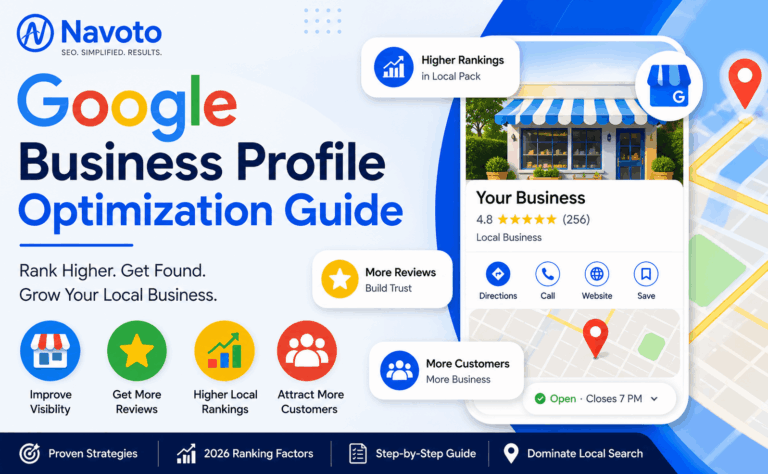
If you’ve never touched your Google Business Profile before, this guide is written for you specifically — no assumed jargon, every term explained the first time it shows up. We’ll cover what actually moves your ranking (with real 2026 data, not guesses), a step-by-step setup walkthrough, and the popular tactics that controlled studies have actually debunked.
New to this? Start here: a Google Business Profile (GBP) is the free listing that shows your business name, hours, photos, and reviews when someone searches for you or your type of business on Google or Google Maps. If you’ve ever searched “plumber near me” and seen three businesses with a map above the regular search results, those three listings are Google Business Profiles — and getting into that group of three is what this whole guide is about.
1. What Is a Google Business Profile?
A Google Business Profile is your business’s free, official listing on Google — it’s what controls how your business appears in Google Search, Google Maps, and the “Map Pack” (the three highlighted local results with a map, also called the Local 3-Pack). You don’t build it like a website; you claim it, fill it in, and maintain it directly through Google.
A quick history
If you’ve heard the term “Google My Business,” that’s the same product under its old name — Google rebranded it to “Google Business Profile” in 2021 and, in the process, removed the separate management app, folding control directly into Google Search and Maps instead. If a guide or a colleague still refers to “GMB,” they mean exactly what this guide calls GBP.
2. Why It Matters: The Numbers
A few figures worth knowing before you invest real time in this: 86% of consumers use the internet to find a local business, and 76% of people who search for a local business on their phone visit that business within 24 hours — local search intent converts to real-world action fast, and unlike organic web rankings, the Map Pack appears above almost everything else on the page for local searches. If your profile isn’t in that group of three, you’re effectively invisible to a large share of ready-to-buy searchers, no matter how good your website is.
How to check where you actually stand right now
Before changing anything, find out your starting point. Search your top few “[service] near me” and “[service] in [city]” terms from a phone, ideally on mobile data or in an incognito browser window signed out of any account — being logged into your own business account can quietly personalize results and make your ranking look better than it really is to an anonymous searcher. Note whether you appear in the Map Pack at all, and if so, in which position. That’s the number you’re actually working to improve.
3. What Actually Determines Your Ranking in 2026
The 2026 Whitespark Local Search Ranking Factors survey — the most-cited annual research in this field, based on scores from 47 local SEO experts — breaks down exactly how much weight each category of signal carries in Map Pack rankings:
| GBP Signals | 32% | |
| Reviews | 20% | |
| On-Page SEO | 15% | |
| Behavioral | 9% | |
| Links | 8% | |
| Citations | 6% | |
| Social | 5% |
Source: 2026 Whitespark Local Search Ranking Factors survey (47 local SEO experts, 187 ranked factors). Percentages are category-level weights within the controllable factor set; proximity to the searcher is evaluated as a separate, non-controllable input alongside these.
Notice something important: eight of the top ten individual Local Pack ranking factors come directly from your GBP itself — meaning the majority of what determines your visibility is something you can actually control, not luck, links, or a bigger marketing budget than your competitor.
GBP Signals (32%) — why your profile itself matters most
This one category outweighs every other single category, which is exactly why the rest of this guide focuses on it first: your primary category, business name, completeness, attributes, and the keywords in your services and description all live inside this bucket.
Review Signals (20%) — trust, recency, and response rate
Review weight has climbed steadily — from roughly 16% just a few years ago to about 20% today — and recency now matters more than raw count. A business with 200 reviews that stopped getting new ones two years ago is losing ground to a newer competitor earning five reviews a week.
The rest of the pie
On-page SEO (your website’s own content and structure), behavioral signals (how searchers interact with your listing), links, citations (see our local citation guide for the full playbook on that one specifically), and social signals fill out the remainder. None of them compensate for a weak GBP — they’re the finishing work, not the foundation.
4. Step 1: Claim and Verify Your Profile
Search your business name on Google or go directly to Google Business Profile Manager to claim an existing listing or create a new one. Verification confirms to Google that you’re the real, legitimate owner — an unverified profile can’t be fully edited and won’t compete seriously in the Map Pack.
The new video verification process
Video verification is now the default method for new listings in most regions, replacing the postcard-by-mail process many business owners remember. Record one continuous, unedited video showing your signage, your interior, and yourself performing a live management action inside the Business Profile app — this combination is what typically passes verification on the first attempt.
5. Step 2: Choose Your Primary Category
Of every single field on your profile, your primary category is the one factor 2026 research consistently ranks as the most influential individual signal in the entire Local Pack algorithm — ahead of reviews, ahead of links, ahead of everything else you could optimize. Pick the narrowest, most specific category that’s still accurate, not the broadest one that technically applies.
A real example of how much this matters
A law firm listed under the generic category “Law Firm” competes against every kind of attorney in the area. The same firm, switched to the specific category “Personal Injury Attorney,” can see a bigger jump in Maps visibility than any other single change to the profile — because it now competes in a narrower, more relevant pool instead of the widest possible one. Add secondary categories afterward for anything else you genuinely offer.
6. Step 3: Fill Out Every Field Completely
Complete, fully filled-out profiles receive an estimated 70% more location visits than incomplete ones. Think of an incomplete profile the way you’d think of a resume with blank sections — it doesn’t just look unfinished, it actively signals to Google that there’s less to trust here than a competitor’s full listing.
The fields beginners skip most often
- Business description — a genuine, keyword-natural explanation of what you do, not a copy-pasted slogan
- Services or products list — as specific and complete as your actual offering, matched to your website’s own service descriptions
- Attributes — the small checkboxes (wheelchair accessible, women-owned, free Wi-Fi) that seem minor individually but add up to a materially more complete profile
- Accurate hours, including holiday hours — rankings measurably start to degrade in the final hour a business is listed as open each day, so accuracy here isn’t cosmetic
7. Step 4: Add Photos and Videos
Visual content isn’t decoration — it’s a direct behavioral and trust signal. Profiles with genuine, professional photos receive an estimated 35% more clicks than those using amateur shots or generic stock imagery.
What to upload, and how often
Start with your storefront or office exterior (so people recognize it from the street), your interior, your team at work, and your finished product or service. Add new photos regularly rather than uploading fifty on day one and never returning — an actively updated profile reads as an actively run business, both to customers and to Google’s freshness signals.
8. Step 5: Build a Review Engine
Review velocity vs. total review count
A steady flow of a few new reviews every week consistently outperforms an occasional burst of twenty followed by silence. 41% of consumers now say they “always” read reviews before choosing a business — up sharply from the year before — and 68% won’t consider a business rated below four stars at all, which makes consistent, recent reviews as much a conversion tool as a ranking one.
How — and how fast — to respond
Businesses that respond to 80% or more of their reviews see a measurable ranking benefit, and speed matters almost as much as the response itself: aim to reply within 24 hours, to every review, positive and negative alike. If you’re dealing with a cluster of suspicious or damaging reviews, that’s a reputation-management situation rather than a simple response task — our SEO reputation management guide covers exactly how to handle it.
9. Step 6: Posts, Q&A, and Services — With Realistic Expectations
Google Posts, the Q&A section, and your services list all help searchers understand and trust your business — but it’s worth being precise about what they do and don’t do for rankings directly.
What a controlled study actually found about GBP Posts
A controlled nine-week study tracking 441 keywords found zero measurable ranking movement from publishing Google Business Profile Posts alone. That doesn’t make them worthless — they’re a genuine engagement and conversion tool, and an actively posted profile still contributes to the overall “actively managed” signal — but don’t publish Posts expecting a ranking boost on their own, and don’t neglect the categories above in favor of a Posts-only strategy.
10. Service Area Businesses vs. Storefronts
If customers come to you, verify your physical address as normal. If you go to customers — plumbers, cleaners, mobile services — set up your profile as a Service Area Business and list every area you genuinely serve. One important limit to understand: you can list service areas far from your base, but you generally can’t rank competitively in the Map Pack for cities well outside your actual location, since proximity remains a foundational factor no amount of profile optimization overrides.
Worked example: a cleaning company based in one suburb lists ten surrounding towns as service areas. It will likely rank well in the Map Pack for its home suburb and immediately neighboring ones, but realistically won’t out-rank a locally-based competitor for a town at the far edge of that list — proximity works against it there regardless of how complete its profile is. The fix isn’t to remove those areas; it’s to pair the single strong GBP with a dedicated landing page for each of those farther towns, so the website itself — not the profile — carries the relevance signal for that specific location.
For businesses that legitimately operate across a wide region, the most effective combination is one strong, accurately-based GBP paired with dedicated, location-specific pages on your website for each city served — the exact approach covered in our local content marketing guide. If you have genuine physical locations in multiple cities, create and verify a separate GBP for each one rather than trying to stretch a single profile across all of them.
11. Reading Your GBP Insights
Your profile’s Insights panel (sometimes still labeled “Performance”) is free, built in, and mostly ignored by beginners — which is a missed opportunity, because it answers the question everything else in this guide is working toward: is this actually working?
- Search queries: the exact terms people typed before finding your profile. Businesses often discover they’re already getting impressions for “near me” and location-based searches they never deliberately targeted — that’s low-hanging fruit worth reinforcing in your description and services.
- Customer actions: calls, direction requests, website clicks, and messages — the closest thing to a conversion metric GBP offers natively.
- Photo views compared to similar businesses: a direct, comparative signal for whether your visual content (Section 7) is actually competitive, not just present.
Check this monthly, not daily — the data is noisy in small windows and far more useful as a trend over several weeks than as a single day’s snapshot.
12. GBP and AI Search: The Weights Are Flipping
AI Overviews now appear across a large share of local business searches — estimates from different 2026 studies range from roughly 40% to 68% of local queries, depending on the business category mix studied. For the first time, the 2026 Whitespark survey measured ranking weights specifically for AI search visibility (getting cited inside AI Overviews and AI Mode) separately from traditional Map Pack rankings — and the formula inverts in a way every local business owner should understand:
| Local Pack (Map Results) | AI Search Visibility |
| GBP Signals | 32% | |
| 12% | ||
| On-Page SEO | 15% | |
| 24% | ||
| Reviews | 20% | |
| 16% | ||
| Citations | 6% | |
| 13% | ||
| Links | 8% | |
| 13% |
Source: 2026 Whitespark Local Search Ranking Factors survey, AI Search Visibility category (new for 2026).
GBP’s weight collapses by 20 percentage points when the goal shifts from the Map Pack to AI citations, while on-page content, citations, and links all rise sharply. The practical takeaway: a GBP-only strategy is increasingly incomplete on its own. Your website’s actual content — the same content covered in our GEO guide — now carries real weight for a growing share of local search that never reaches the traditional Map Pack at all.
13. Common GBP Myths, Debunked
Myth: Geotagging your photos boosts rankings
This advice has circulated in local SEO circles for years — the theory being that embedding GPS coordinates into a photo’s file data before uploading signals extra location relevance to Google. Controlled testing has consistently found no measurable ranking effect from this. It’s not harmful to do, but it’s also not worth the time it takes away from the fixes that actually move the needle, like category selection or review response.
Myth: Stuffing keywords into your business name helps you rank
Naming your business “Joe’s Plumbing — Best Emergency Plumber Denver CO” instead of just “Joe’s Plumbing” is a direct violation of Google’s guidelines, not a clever workaround. It’s also one of the most commonly reported and enforced forms of GBP spam — competitors actively flag it, and Google actively suspends listings over it. The downside risk (suspension, having to re-verify from scratch) is far larger than any upside.
Myth: Publishing more Posts is a reliable ranking tactic
As covered in Section 9, a controlled study found no measurable ranking effect from Posts alone. They’re a genuine engagement and freshness signal worth keeping up, but treating a Posts calendar as your primary ranking strategy means neglecting the categories that actually carry weight.
Myth: Once you’re verified and filled out, you’re done
This is the single most common — and most costly — misunderstanding for beginners specifically. A profile that was perfect on launch day and untouched for two years loses ground to competitors earning fresh reviews and adding fresh photos every week. Section 13’s maintenance routine exists precisely because “finished” isn’t a real state for a Google Business Profile.
14. A Simple Monthly Maintenance Routine
The businesses that hold their Map Pack position long-term aren’t the ones who did one big optimization push two years ago — they’re the ones doing small, consistent things every month. A realistic beginner routine:
- Weekly: respond to any new reviews within 24 hours; check for and answer any new Q&A submissions.
- Monthly: add at least a few new photos; verify your hours are still accurate, especially around holidays; review your Insights data for search-term trends.
- Quarterly: re-check that your website’s service descriptions still match your GBP services list, and audit for any duplicate or unauthorized listings claiming your business.
For the full system this fits into — beyond GBP alone — see our complete local SEO checklist.
15. Quick Glossary
- NAP: Name, Address, and Phone number — these need to match exactly everywhere your business appears online.
- Map Pack / Local 3-Pack: the three highlighted business listings with a map that appear above regular results for local searches.
- Primary category: the single main classification of your business — the most influential individual field on your entire profile.
- Service Area Business (SAB): a business that travels to customers rather than operating from a public storefront.
- Attributes: the specific checkboxes on your profile (accessibility, ownership type, amenities) that add detail beyond your category and description.
Frequently Asked Questions
How long does it take to see results from GBP optimization?
Some improvements — particularly review response and photo updates — can influence visibility within weeks. Full Map Pack movement more typically takes 60–120 days of consistent, complete optimization.
Is Google Business Profile free?
Yes, claiming, verifying, and fully optimizing your profile costs nothing. Third-party tools for managing multiple locations or tracking rankings are optional paid add-ons, not requirements.
What’s the single most important thing to fix first?
Your primary category, followed immediately by completing every profile field. Both are free, take under an hour combined, and carry more individual weight than almost anything else on this list.
Can I manage my Google Business Profile myself, or do I need an agency?
Most of the fundamentals in this guide — category, completeness, photos, review responses — are genuinely manageable in-house. Ongoing strategy, multi-location management, and competitive analysis are where professional help typically pays for itself, covered in our affordable SEO packages guide.
Want your Google Business Profile fully optimized, not just filled in?
Navoto builds complete local SEO programs — GBP, citations, reviews, and website — as part of our technical SEO audits.
| Talk to the Navoto Team |