Quick answer
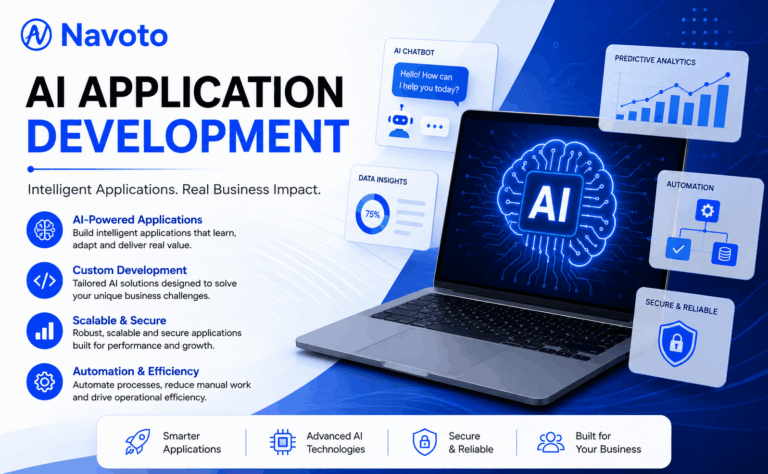
“AI application development” actually means two different things, and most articles only cover one of them. It can mean (1) using AI tools to build software faster — AI coding assistants writing and testing code — or (2) building software that has AI built into it, like a chatbot, an AI agent, or a recommendation engine. This guide covers both, but focuses mainly on the second one, since that’s the one that actually changes what your business can offer customers.
At Navoto, we build both kinds every week — AI-powered features for client apps, and AI coding workflows for our own delivery teams — so this guide is written from what actually happens during a build, not from a marketing deck.
What Is AI Application Development?
AI application development is the process of designing, building, and deploying software that uses artificial intelligence to complete tasks that normally require human judgment — understanding language, recognizing patterns, making predictions, or taking action on its own, instead of just following fixed, pre-written rules.
That’s the “building AI-powered software” meaning. The other meaning — using AI to speed up how any software gets built — shows up mostly in engineering contexts, and it’s worth being clear about the difference before you read another paragraph, because the two paths lead to very different projects, teams, and budgets.
| AI-Assisted Development | AI-Powered Application Development | |
|---|---|---|
| What it means | Using AI coding tools (copilots) to help developers write, test, and debug any software faster | Building a product or feature where AI is part of what the software actually does for the end user |
| Who it’s for | Engineering teams looking to ship faster | Businesses that want a smarter product, app, or internal tool |
| Example | A developer describes a function in plain English and an AI assistant writes the code | A support chatbot, an AI agent that processes refunds, or a tool that reads and summarizes contracts |
| End result | The same app, built faster | A different, smarter app your customers or team actually interact with |
Most businesses searching for “AI application development” actually want the second one — they want to build something with AI inside it. That’s the focus for the rest of this guide, and it’s also where Navoto’s AI software development services spend most of their time: turning “we should probably do something with AI” into a working system that saves real hours or makes real money.
AI Application Development vs. Traditional Software Development
Traditional software is built on rules: if X happens, do Y. It’s predictable, testable, and it does exactly what the code says — nothing more. AI application development flips that. Instead of writing every rule by hand, you give the system examples and let it learn the pattern, which means it can handle situations nobody explicitly coded for — a customer question phrased in a way you never anticipated, an invoice in a slightly different layout, a photo taken at an odd angle.
That flexibility is the whole appeal, but it comes with a trade-off worth understanding before you start a project: AI outputs are probabilistic, not fixed. The same input can produce slightly different outputs, which is why testing, evaluation, and human oversight matter far more in AI application development than they do in a standard CRUD app.
- Traditional software is deterministic — same input, same output, every time. It’s cheaper and faster to build for well-defined, repeatable tasks.
- AI applications are probabilistic — they make a judgment call based on patterns. They’re worth the extra effort when the task involves language, images, unstructured data, or genuine unpredictability.
- Most real products end up as a hybrid: traditional logic handles the predictable 80%, and an AI layer handles the messy, judgment-based 20% that used to require a human.
Types of AI Applications (With Real Examples)
“AI application” is a broad label. In practice, almost every AI-powered product falls into one of these categories:
AI Chatbots & Virtual Assistants
Answer customer or employee questions instantly using natural language, trained on your actual content instead of generic answers.
AI Agents
Go further than a chatbot — they complete multi-step tasks on their own, like processing a return or updating a record end-to-end.
Generative AI Applications
Draft content, code, or designs from a prompt — product descriptions, reports, marketing copy, or first-pass UI layouts.
Predictive Analytics & Forecasting
Analyze historical data to forecast demand, flag churn risk, or predict which leads are most likely to convert.
Computer Vision Applications
“See” and interpret images or video — checking product quality on a line, reading a scanned document, spotting a safety issue.
Document & Data Intelligence
Read contracts, claims, or forms — pull out key facts and flag anything unusual, even from scanned or handwritten pages.
Recommendation Engines
Suggest products, content, or actions based on behavior — the “customers also liked” logic behind most modern ecommerce.
Smart Internal Search
Let employees type a plain-language question and get a direct answer pulled from company wikis, files, and emails.
Most of these aren’t mutually exclusive — a single product often combines two or three (a support agent, for example, usually blends a chatbot, a document-reading layer, and a recommendation engine). If you’re not sure which category fits your idea, that’s a normal starting point for a discovery call, not a sign you’re not ready to start.
The Technologies Behind AI Applications
“AI” isn’t one technology — it’s an umbrella term for several distinct approaches, each suited to different problems:
| Technology | What it does | Typical use case |
|---|---|---|
| Machine Learning (ML) | Learns patterns from historical data to make predictions | Churn prediction, fraud scoring, demand forecasting |
| Generative AI & LLMs | Reads and writes natural language, holds conversations, drafts content | Chatbots, content drafting, summarization |
| Natural Language Processing (NLP) | Understands and categorizes written or spoken text | Ticket routing, sentiment analysis, voice commands |
| Computer Vision | Interprets images and video | Defect detection, document scanning, visual search |
| Agentic AI | Plans and executes multi-step tasks with minimal human input | End-to-end workflow automation, autonomous task completion |
| Retrieval-Augmented Generation (RAG) | Lets an AI model pull real-time facts from your own data instead of guessing | Chatbots that need to be accurate about your specific business |
Underneath these, most AI applications also rely on a foundation model (OpenAI, Anthropic Claude, Google Gemini, Meta Llama, or similar), a vector database for meaning-based search (Pinecone, Weaviate, Qdrant), and standard cloud infrastructure (AWS, Azure, or Google Cloud) to actually run in production. If a project involves conversational AI specifically, it’s also worth understanding ChatGPT integration as its own discipline — connecting a language model to your real data and systems is a very different job from just calling an API.
The AI Application Development Process, Step by Step
Skipping steps here is the single most common reason AI projects stall. Here’s the order that actually works:
Define the problem, not the technology
Start with what’s actually slowing the business down — not “we should use AI.” A clear, narrow problem statement keeps the whole project focused.
Audit and prepare your data
AI is only as good as what it’s trained or grounded on. This step usually takes longer than people expect — cleaning, organizing, and connecting data sources properly.
Choose the right model or framework
Not every problem needs a custom-trained model. Most don’t. Pick between a pre-trained model, a fine-tuned model, or a RAG setup based on the actual use case — not what’s trending.
Build a small proof of concept first
Validate the idea against real or realistic data before committing to the full build. This is where a lot of bad ideas get caught cheaply, before they get expensive.
Build in short, visible cycles
Development happens in one- to two-week cycles with something to see each time — not a black box that reappears months later.
Evaluate it like AI, not like normal software
Traditional QA checks for pass/fail. AI needs evaluation frameworks that score accuracy, relevance, and safety across many test cases, because outputs vary.
Launch with a controlled rollout
Release to a small group first, with the ability to switch it off instantly if something looks wrong — not a full launch on day one.
Monitor, tune, and maintain it
AI applications can quietly degrade as real-world data shifts. Ongoing monitoring catches that before your users do.
This is the same process our team walks through on real projects — if you want the fully detailed version, including the tools and security standards involved, it’s laid out on our AI software development services page.
How Long It Takes and What It Costs
There’s no honest single number here — anyone who gives you one price without asking a single question about your project is guessing. But real ranges, based on scope, look like this:
| Project type | Example | Typical timeline | Typical cost* |
|---|---|---|---|
| Simple / pilot | A single chatbot, or one AI feature using pre-built APIs | 4–8 weeks | Low to mid five figures |
| Mid-complexity | A custom AI agent, document intelligence tool, or RAG-based assistant with integrations | 2–4 months | Mid five figures to low six figures |
| Enterprise-grade | Custom model tuning, multiple system integrations, compliance requirements (HIPAA, SOC 2, GDPR) | 4–9+ months | Six figures and up |
*Ranges are directional, not quotes — actual cost depends on data readiness, integrations, and compliance needs. Ask any vendor for a number in writing before committing.
The variables that move a project between these tiers, in order of impact:
- How clean and accessible your data already is (messy data adds real time)
- How many existing systems it needs to connect to
- Whether you need a custom-trained model or a pre-trained one is enough
- Regulatory requirements in your industry (healthcare and finance add safeguards)
- Ongoing monitoring and support after launch, which is usually a modest monthly cost, not a one-time fee
Business Benefits of AI Application Development
- Less manual work. Repetitive tasks — data entry, document review, first-line support — get handled by software instead of people.
- Faster response times. Customers and employees get an answer in seconds instead of waiting on a queue.
- More consistent output. AI doesn’t get tired at 4pm on a Friday — it applies the same standard every time.
- Lower cost per task over time. One well-built system can absorb work that would otherwise need several additional hires.
- A genuinely different product. Smart features are increasingly the reason a customer picks you over a competitor with a nearly identical product.
- Room to scale without scaling headcount. A well-architected AI system can typically handle a large increase in volume without a proportional increase in staff.
Common Challenges (and How to Avoid Them)
| Challenge | How to handle it |
|---|---|
| Messy or scattered data | Budget real time for data cleanup before building — it’s usually the longest step, not the model itself. |
| Hallucinations / inaccurate outputs | Ground the model in your real data (RAG) rather than relying on what it “remembers,” and add output guardrails that catch wrong or unsafe answers before a user sees them. |
| Security and data privacy | Encrypt data, restrict access, log every action, and build to the compliance standard your industry actually requires from day one. |
| Integration complexity | Map every system it needs to touch before writing code — each connection is its own build-and-test cycle. |
| Model drift after launch | Set up ongoing monitoring so performance dips get caught by a dashboard, not by an angry customer. |
| Unclear ROI | Start with one narrow, measurable use case instead of a company-wide “AI transformation” — prove value, then expand. |
Guardrails: Input Controls vs. Output Controls
“Add guardrails” gets thrown around like it’s one thing. It’s actually two, and most teams that get burned only built one of them.
- Input guardrails screen what reaches the model before it generates anything — blocking off-topic requests, catching prompt-injection attempts hidden in user text or uploaded files, and refusing questions the system shouldn’t answer at all (a support bot asked for another customer’s order history, for example).
- Output guardrails check what the model produces before a user ever sees it — catching hallucinated facts, blocking anything that breaks a compliance rule, and flagging answers that miss the tone or accuracy bar you set.
They fail independently. A model can be perfectly safe about what it accepts and still confidently make something up in its answer, and vice versa. Both layers need their own tests, and both need to be part of the evaluation framework from the “Evaluate it like AI, not like normal software” step above — not bolted on after launch.
Best Practices for Building AI Applications
- Build security in from day one. Given how much sensitive data flows through most AI systems, encryption, access controls, and audit logging shouldn’t be an afterthought — add multi-factor authentication and zero-trust access on top, so a single compromised credential can’t reach the model or the data behind it.
- Design for transparency. Users trust systems they understand — tell people clearly when they’re interacting with AI, and where possible, explain how a recommendation or answer was reached.
- Keep a human in the loop for high-stakes decisions. AI should assist judgment calls in areas like healthcare, finance, or legal — not replace human sign-off entirely.
- Test against real-world edge cases, not just happy paths. The unusual inputs are exactly what break AI systems in production.
- Build for scale from the start. Choose cloud infrastructure and architecture that can handle 10x the load without a rebuild.
- Design for the device it runs on. If any part of the experience runs on a phone, a heavy general-purpose model can drain battery and add lag. Lightweight or on-device models — with a cloud fallback for anything that needs more power — keep mobile features fast without punishing the user’s hardware.
- Watch for bias. Models trained on historical data can quietly reproduce the biases in that data — test outputs across different user groups, not just in aggregate.
Build vs. Buy: Custom AI Applications vs. Off-the-Shelf Tools
| Off-the-Shelf AI Tool | Custom AI Application | |
|---|---|---|
| Speed to start | Fast — sign up today | Takes weeks to months |
| Fits your exact process | Rarely — you adapt to the tool | Built around how you actually work |
| Ownership | The vendor owns it — you’re renting | You own it outright |
| Differentiation | Your competitors can buy the same tool | Built specifically around your data and workflow |
| Best for | Generic, well-solved problems (basic scheduling, generic chat widgets) | Anything tied to your specific data, workflow, or competitive edge |
A practical middle ground many businesses use well: start with an off-the-shelf tool to validate the idea cheaply, then move to a custom build once you know exactly what needs to be different about it. If you already run software you don’t want to replace, it’s also worth knowing that most AI projects don’t start from a blank page — AI integration services exist specifically to plug AI features into the systems you already run, rather than rebuilding from scratch.
How to Choose an AI Application Development Company
Not every “AI development company” is the same kind of company. Before you sign anything, check for these:
- They ask about your data before your budget. If a vendor jumps straight to a price without asking what data you have and how clean it is, that’s a red flag.
- They’ll tell you when AI isn’t the right answer. Sometimes a simple form or rule beats a complex AI system — a good partner says so, even when it means less billable work.
- They show real, working systems — not just demos. A polished demo is easy. A system that’s still accurate a year later, with real users, is the actual proof.
- They plan for what happens after launch. AI systems need monitoring and tuning over time — ask directly what post-launch support looks like.
- You own what gets built. Confirm you get full documentation and code ownership, not a dependency on the agency forever.
We’ve written a more detailed, side-by-side breakdown of specific vendors — including boutique shops, enterprise players, and full-stack partners — in our guide to choosing the right AI development company, if you want to compare options before you commit.
AI Application Examples by Industry
| Industry | Example application |
|---|---|
| Healthcare | Software that drafts clinical notes and cross-references symptoms against records to support (not replace) diagnosis |
| Finance | Fraud detection that flags unusual transactions and explains why in plain language |
| Retail & ecommerce | A shopping assistant that helps customers find the right product from natural-language questions |
| Real estate | An assistant that answers buyer questions and books showings automatically, 24/7 |
| Insurance | A claims tool that reads submitted documents and routes each claim to the right queue automatically |
| Logistics | Route optimization that reroutes deliveries automatically when conditions change |
| SaaS products | AI features built directly into the core product — not bolted on as an afterthought |
Want to see how the underlying technology differs by use case? Our generative AI development services and AI agent development services pages break down exactly what each looks like in practice, including where the two overlap.
Where AI Application Development Is Headed
Nobody can predict this with certainty, but four shifts are already changing what gets scoped into new builds — worth planning around now, even for a project starting small.
- Agentic AI becomes a feature, not a project. Gartner projects that 40% of enterprise applications will have task-specific AI agents built in by the end of 2026, up from under 5% in 2025. The agent stops being a standalone initiative and starts being one more capability inside the CRM, the support tool, the internal dashboard you already use.
- Multimodal inputs get normal. Apps increasingly accept a photo, a voice note, and a typed question in the same interaction instead of forcing users into one input type — think “snap a photo of the invoice and ask a question about it” rather than separate upload and chat tools.
- Smaller, specialized models start doing more of the work. Not every feature needs a large general-purpose model. Lighter models — sometimes running directly on a phone instead of a server — are increasingly viable for tasks that need to be fast, cheap, or private, and they’re a big part of why mobile AI is finally practical (see “Design for the device it runs on,” above).
- Personalization moves from segment to individual. Instead of “customers like you also liked,” systems increasingly adapt within a single session based on what someone is actually doing right now, not just their past behavior.
One honest caution worth including here: Gartner also expects over 40% of agentic AI projects to be cancelled by 2027, mostly from unclear ROI or weak risk controls — not from the technology failing. The lesson isn’t “wait.” It’s “start with one narrow, measurable agent instead of an ‘agentic transformation’ with no defined win condition” — the same advice in the challenges table above, just aimed at where the market is going instead of where it already is.
Have a specific AI application in mind?
Tell us what’s slowing your team down, and we’ll tell you honestly whether AI is the right fix — and what it would actually take to build.
Why Businesses Work With Navoto on AI Application Development
Most agencies treat “AI” as a bolt-on department. We build it alongside the websites, apps, and marketing systems we already run for clients — so an AI agent or chatbot plugs directly into a site or app we also designed, instead of being handed off between three different vendors who’ve never spoken to each other.
- We explain every decision in plain language — if you don’t understand something we said, that’s on us.
- We tell you when AI isn’t the right answer, even when a simpler build means less billable work for us.
- You talk directly to the people building it — no account-manager relay.
- You own everything we build, with full documentation and handover.
Whether you need a single AI feature added to an existing product through our AI integration services, a fully custom system through our AI software development services, or an AI-native website built from the ground up through our AI web development services, the starting point is the same conversation: what’s actually slowing you down, and is AI the right way to fix it.
Frequently Asked Questions
What is AI application development in simple terms?
It’s building software that can learn from data and make judgment calls on its own — answering a question, spotting a pattern, or completing a task — instead of only following rules a person typed in ahead of time.
How much does AI application development cost?
A simple pilot often starts in the low-to-mid five figures. Mid-complexity builds with integrations typically land between the mid five figures and low six figures. Enterprise systems with compliance requirements and custom model training can run into the high six figures or more. The real number depends heavily on data readiness and scope.
How long does it take to build an AI application?
A small pilot usually takes 4 to 8 weeks. A full production system connected to other tools typically takes 3 to 6 months, and enterprise-grade builds can run longer depending on compliance and integration needs.
What’s the difference between a chatbot and an AI agent?
A chatbot answers a question. An AI agent completes the task — it doesn’t just tell you your return window is 30 days, it processes the return, prints the label, and issues the refund.
Do I need a huge budget or a data science team to get started?
No. Most businesses start with one small, well-defined project — a chatbot or a document reader — that costs a fraction of a company-wide system and proves the value before you scale up.
Is my data safe if I add AI to my product?
It can be, when it’s built correctly — encryption, limited access controls, activity logging, and compliance with standards like GDPR, HIPAA, or SOC 2 depending on your industry. Ask any vendor exactly how they handle each of these before you start.
Can AI be added to software I already have, or do I need to start over?
You almost never need to start over. Most AI projects begin by connecting AI features to the systems a business already runs, rather than rebuilding everything from scratch.
Which AI model should my application use — GPT, Claude, or Gemini?
It depends on your priorities around speed, cost, accuracy, and data privacy. Many production applications actually combine more than one model rather than betting everything on a single provider.
Should I train my own AI model, or use one that already exists?
For almost every business, use an existing model. Training a model from scratch takes large volumes of clean data, in-house ML expertise, and ongoing retraining as that data shifts — resources most companies don’t have and don’t need. It only makes sense when you have a genuinely unique data advantage and a team to maintain it long-term. A pre-trained model paired with RAG (grounding it in your own data at the time it answers, instead of retraining it) gets most businesses the accuracy they need at a fraction of the cost and time.
Ready to talk through your specific idea?