Growing from one location to many feels like a win right up until your rankings start slipping everywhere at once. Multi-location SEO breaks in predictable, specific ways — and every one of them is fixable if you know what you’re looking at. This guide is written for someone doing this for the first time: the right site structure, how to stop your own locations from competing with each other, and the exact mistakes that quietly tank visibility across an entire brand.
New to this? Start here: single-location SEO is about making one website rank well for one place. Multi-location SEO is about making a dedicated part of that same website rank independently in every single city or neighborhood you operate in — Denver shouldn’t outrank your own Austin location, and neither should out-rank a genuinely local competitor. That’s the whole discipline in one sentence.
1. What Is Multi-Location SEO?
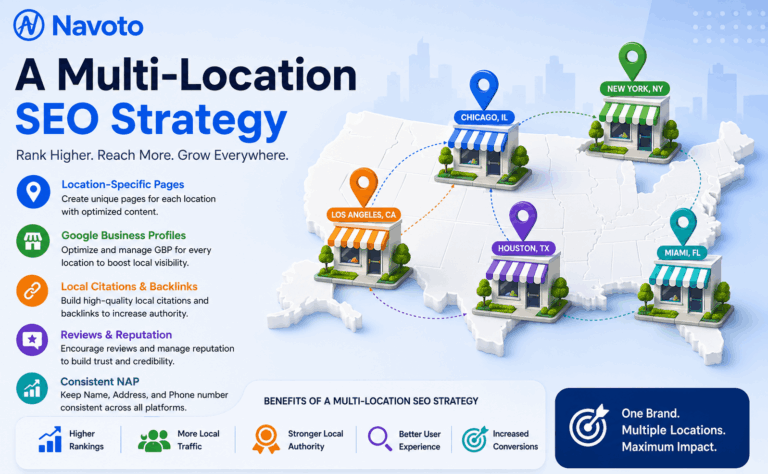
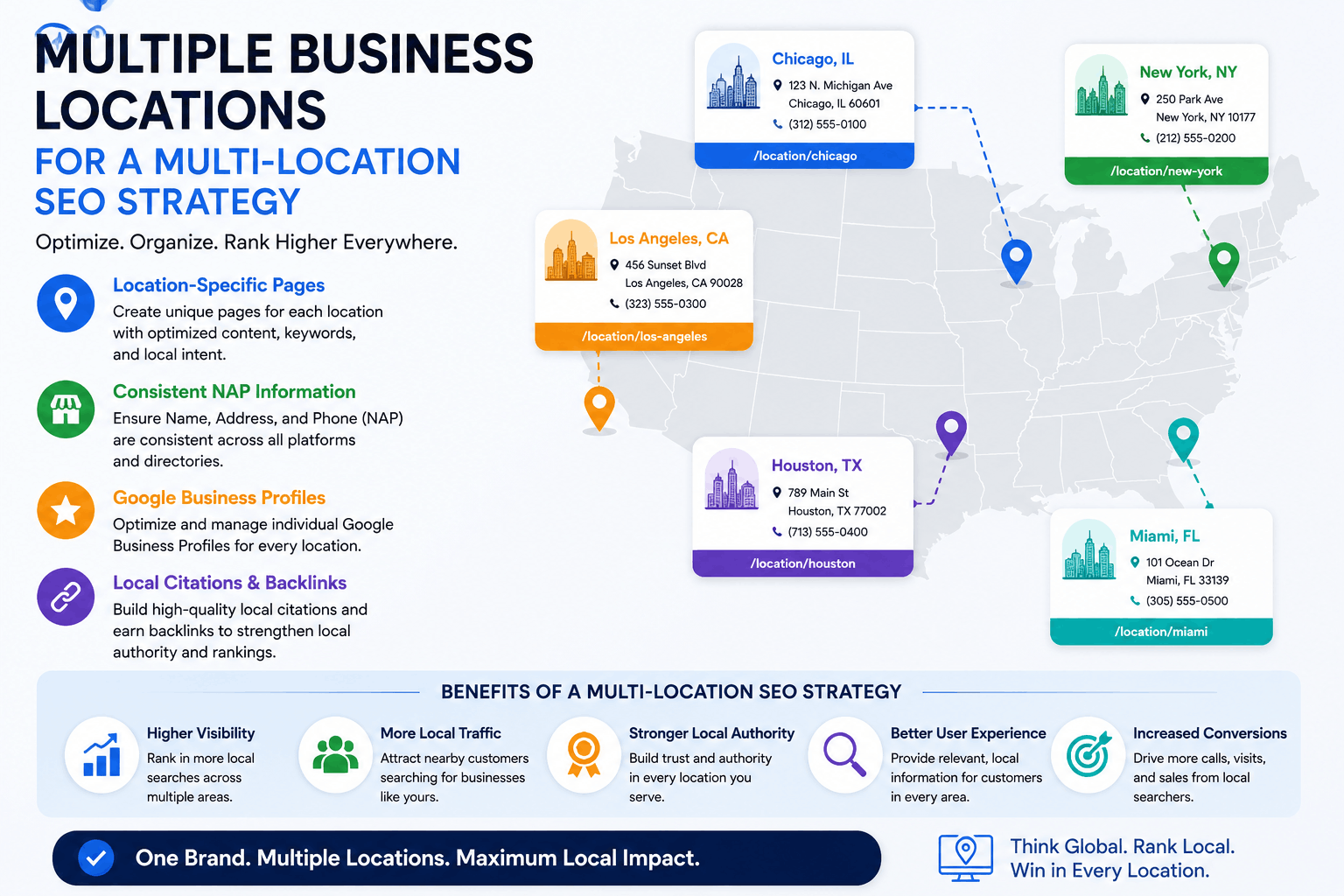
Multi-location SEO is the practice of optimizing a business’s online presence so that every individual physical location — not just the brand as a whole — ranks well in its own local search results. If you have three storefronts, the goal isn’t one page that ranks somewhere; it’s three location pages and three Google Business Profiles, each independently competing and winning in its own city.
The spotlight vs. the distributed grid
Single-location SEO works like a spotlight — every signal, link, and piece of content focuses on one address, and that focus is exactly what makes it effective. Multi-location SEO can’t work that way. It functions more like a distributed grid of smaller spotlights, each one needing its own independent signals (its own reviews, its own citations, its own locally-relevant content) rather than borrowing brightness from the others. Businesses that apply single-location thinking to a multi-location reality are the ones whose rankings collapse the moment they try to scale.
2. Why It Matters: The Numbers
|
46%
of all Google searches carry local intent
|
76%
of local searchers visit a business within 24 hours
|
1 of 16
sections in this guide is dedicated to the mistake that breaks scale most often (Section 12)
|
A location page ranking well for “HVAC repair in Denver” can outperform a national competitor with far higher overall domain authority, simply because it has stronger local signals for that specific city. That’s the real opportunity in multi-location SEO — and also exactly why getting the structure wrong at even one location can quietly cap the ceiling for every other one.
3. How Search Engines Understand Multi-Location Businesses
Search engines treat your brand and your individual locations as related but separate entities. Your homepage and corporate content build overall domain authority and brand trust; your individual location pages and Google Business Profiles carry the specific local relevance signals that decide who ranks in each city’s Map Pack.
Location signals vs. brand signals
Corporate-level content (your homepage, your “about us,” your national blog) should be doing the work of building topical and domain authority. Location-level content should be doing something entirely different: targeting geo-modified, locally specific intent. Mixing the two — publishing thin location pages that just repeat brand messaging with a city name swapped in — gives Google nothing distinct to rank for that specific market.
4. The Right Site Structure
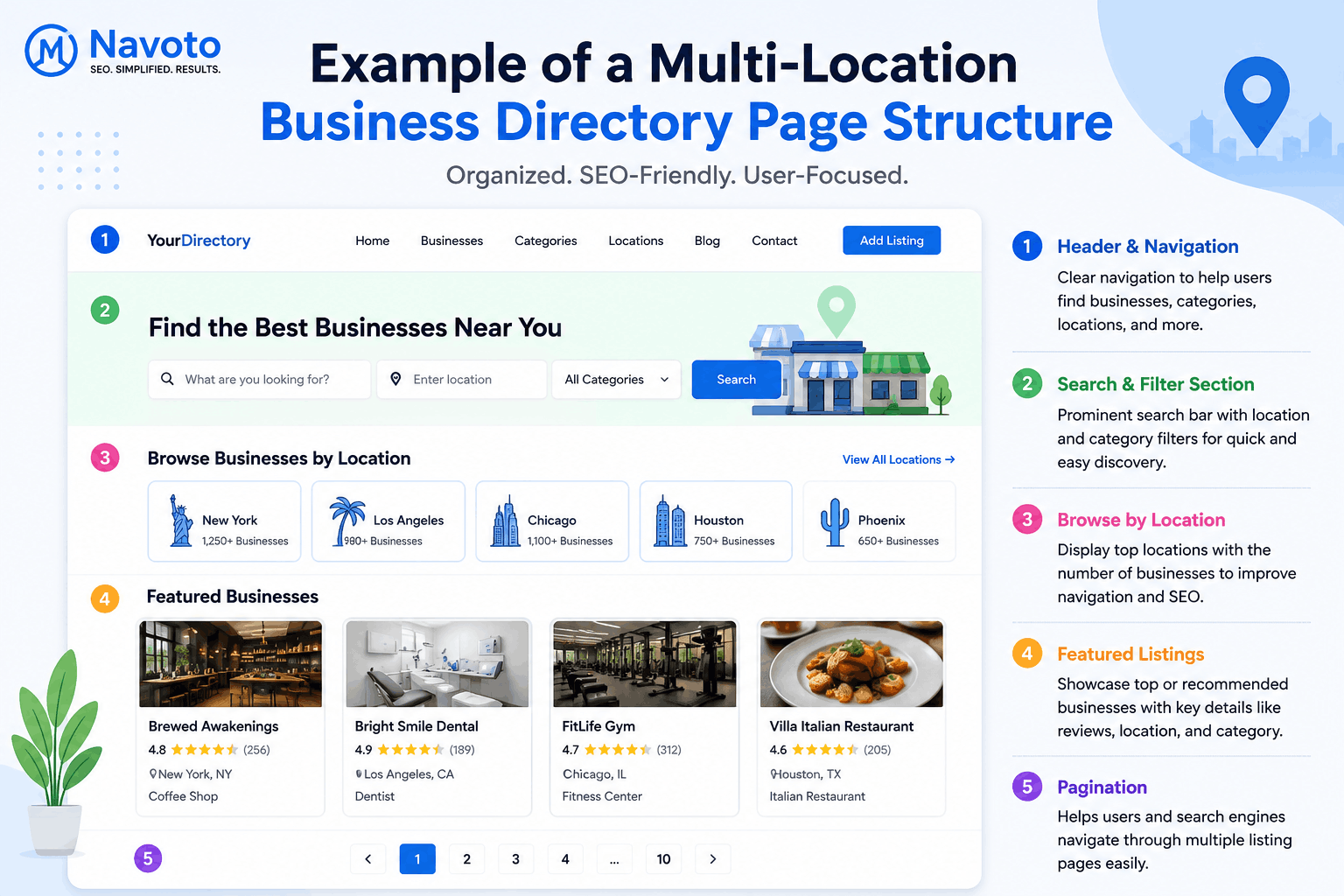
Most multi-location sites should follow a clear hierarchy, scaled to how many locations you actually have:
| Locations Hub Page — /locations/ |
| ↓ links down to |
| State / Regional Index Pages — /locations/california/ |
| ↓ links down to |
| City-Level Pages — /locations/california/los-angeles/ |
| ↓ links down to |
| Individual Location Page — /locations/california/los-angeles/downtown/ |
Skip the middle layers if you only have a handful of locations — a 4-location business doesn’t need state index pages. Add them back in once you’re managing dozens of cities and need an organized way for both users and crawlers to navigate the full list.
The locations hub page
One central page listing every location, ideally with an embedded map and links down to every region or city page beneath it. This is also the page most likely to earn links and internal authority, so it needs to be a real, useful directory — not a buried footer link.
State or regional index pages
Only necessary once you’re operating across enough states or regions that a flat list of every city becomes unusable. Their job is pure navigation and light regional context — not to compete for the same keywords as the city pages beneath them.
City-level pages
Useful when you have multiple locations within the same metro area — a city page can index and link to each individual neighborhood location beneath it, giving Google (and users) a logical way to find the closest one.
Individual location pages — what makes them actually unique
This is where most multi-location sites fail. A real location page needs its own written content (not a template with the city name swapped in), an embedded map, the specific team or staff at that location where relevant, location-specific reviews, a descriptive URL, and its own LocalBusiness schema. If you removed the city name, a reader should still be able to tell which location they’re on just from the content.
5. Avoiding Keyword Cannibalization
Keyword cannibalization is what happens when two of your own pages compete for the same search instead of a competitor’s page — and it’s one of the fastest ways a multi-location strategy quietly sabotages itself.
How to map keywords so locations don’t compete with each other
Every location page should target a distinct, non-overlapping set of keywords tied specifically to its own geography — “plumber in Denver” for the Denver page, “plumber in Aurora” for the Aurora page, never the same head term duplicated across both with just the city swapped in the title tag. Build a simple keyword map before writing a single page: one row per location, one column per target keyword, and flag any keyword that appears in more than one row before it becomes a live conflict instead of after.
Worked example: a home cleaning company opens a second location twelve miles from the first. Both pages get titled “House Cleaning Services | [Brand Name],” both target the exact phrase “house cleaning near me,” and both link to the same generic services page. Within a few weeks, Google starts alternating which of the two ranks for local searches in the overlapping service area — sometimes showing the wrong location to the wrong searcher — and neither page performs as well as a single well-optimized page would have. The fix: rename the pages around their actual neighborhoods (“House Cleaning in Westside Denver” vs. “House Cleaning in Aurora”), and give each one distinct proof points — different team members, different local reviews, different specific streets or neighborhoods mentioned by name.
6. Google Business Profile at Scale
One verified profile per physical location
Every physical location needs its own separately claimed and verified Google Business Profile — never one profile trying to represent multiple addresses. Each profile should carry accurate, location-specific NAP data, its own correct primary category, a locally-written description, and its own photos. For the full setup process, see our Google Business Profile optimization guide — everything in it applies per location here, not once for the whole brand.
Who should manage multiple profiles, and how
A handful of locations can usually be managed directly through Google’s native tools without much friction. Once you’re into dozens or hundreds of locations, a dedicated multi-location management platform becomes worth the cost — bulk-editing hours, posting updates, and monitoring reviews one profile at a time simply doesn’t scale past a certain point, and a missed update at one location is easy to lose track of without centralized tooling. Tools built specifically for this — bulk listing managers, multi-location review dashboards, and grid-based rank trackers — exist precisely because spreadsheets and Google’s own interface weren’t designed for hundreds of profiles at once.
Franchise vs. corporate-owned locations: different governance models
If your locations are franchised rather than corporate-owned, multi-location SEO adds a layer most guides skip entirely: governance. A franchisee may have partial control over their own GBP and even their own local marketing, which means brand-level SEO has to succeed through structure and standards, not direct control over every input. The businesses that get this right set clear brand-level templates and guidelines — consistent NAP formatting rules, required schema fields, minimum photo and review-response standards — while still giving each franchisee room to write genuinely local content within those guardrails. The businesses that get it wrong either lock everything down so tightly that no location page feels local, or leave it so open that inconsistent NAP data and abandoned profiles quietly undermine the whole brand’s local visibility.
7. Citation and NAP Consistency at Scale
Why one wrong address suppresses every location
A single mismatched name, address, or phone number in a directory listing doesn’t just confuse that one location’s data — it actively signals inconsistency that can suppress ranking confidence in the Map Pack for whichever location it’s attached to. At scale, this compounds fast: fifty locations means potentially thousands of individual citation listings, and a spreadsheet is rarely a sustainable way to track them past the first dozen. Our local citation guide covers the full process; at multi-location scale, that process needs to run on a defined schedule, per location, not as a one-time cleanup.
8. Review Management Across Locations
Why aggregate ratings hide problems
A brand-wide 4.6-star average sounds healthy until you break it down and find one location quietly sitting at 3.2 stars — a number the aggregate view actively hides. Review generation and response need their own strategy per location, not a single brand-level campaign, because the location dragging down the average is very likely also the one losing the most local search visibility and the most walk-in business. For handling a cluster of damaging reviews at any single location, see our SEO reputation management guide.
9. Local Content and Schema for Each Location
LocalBusiness schema for multi-location sites
Every individual location page should carry its own LocalBusiness schema markup with that location’s specific address, phone number, hours, and service area — not one brand-wide Organization schema block reused across every page. Incomplete or shared schema is a common, avoidable reason AI systems and search engines default to a competitor’s cleaner, location-specific data instead of yours. Genuinely unique local content matters just as much as the schema itself — our local content marketing guide covers how to write it so it doesn’t read like a template with the city name swapped in.
10. Rank Tracking and Reporting at Scale
Grid tracking vs. single-keyword tracking
A single “are we ranking for X” check is meaningless once you have multiple locations — the answer varies by exactly where the searcher is standing. Grid-based rank tracking checks your position from many simulated points across a service area, showing you where you actually win, where you’re borderline, and where you’re invisible, rather than one average number that hides all of that variation.
Market and location-level reporting
Report on performance broken down by individual location, not just as one combined brand-wide number. A strong national average can hide two or three locations quietly losing visibility every month — exactly the same blind spot as the aggregate-review problem in Section 8, and worth catching on the same monthly cadence.
11. Multi-Location SEO and AI Search
AI Overviews now appear prominently for local queries, and the businesses appearing in those AI-generated answers aren’t always the same ones ranking first in traditional results — AI systems pull heavily from structured data and clearly-authoritative local content, so a location page with incomplete schema or thin content can lose an AI citation to a smaller competitor with cleaner signals, even while still ranking reasonably in the traditional Map Pack. This makes complete, location-specific schema and genuinely useful local content (not just brand messaging) less optional than ever — the same principles covered in our GEO guide, applied per location rather than once at the brand level.
12. Common Mistakes That Break Scale
- Duplicating location pages with only the city name changed. The single most common cause of multi-location ranking collapse, and the easiest one to accidentally reintroduce during a fast expansion.
- Letting keyword cannibalization go unmapped. Covered in Section 5 — without a keyword map, it’s invisible until two of your own pages are already competing.
- Treating GBP as a one-time setup task. Every profile needs the same ongoing attention as a single-location business would give its only profile — see our GBP optimization guide for the maintenance cadence that applies to each one.
- Reporting only at the brand level. Hides exactly the location-specific problems covered in Sections 8 and 10.
- Skipping citation audits after the first cleanup. New locations and directory changes reintroduce NAP inconsistencies faster than most teams expect.
13. Budgeting for Multi-Location SEO
Cost doesn’t scale in a straight line with location count, which surprises a lot of first-time buyers. The fixed costs — site structure, schema templates, tooling setup — are largely one-time. What scales per location is the ongoing work: GBP maintenance, review management, and citation upkeep for each new address. A realistic way to think about budget is in two buckets: a one-time setup investment (site structure, initial content, initial citation cleanup) and a smaller, recurring per-location cost for ongoing maintenance — the second bucket is the one businesses most often underestimate when planning an expansion. Our SEO pricing guide breaks down what these costs typically look like in practice.
14. A Realistic Rollout Plan
- Audit what you have before adding anything new — existing duplicate content, inconsistent NAP data, and unclaimed or duplicate GBP listings all need to be found and fixed first, not built around.
- Build the hub page and site structure from Section 4, sized to your actual number of locations today, not a hypothetical future one.
- Write genuinely unique content for your highest-priority locations first rather than thin-launching every location page simultaneously.
- Claim and fully optimize each GBP in parallel with the location pages, never as an afterthought.
- Set up location-level tracking and reporting before you need it to diagnose a problem, not after.
Doing this yourself vs. bringing in help
Two or three locations with an owner willing to write genuinely local content are very manageable in-house — the principles in this guide don’t require special tools at that scale, just discipline about not shortcutting the unique-content step. Past roughly ten locations, or the moment citation management and grid tracking start eating a meaningful chunk of someone’s week, the math usually shifts in favor of dedicated help — not because the strategy changes, but because the volume of ongoing maintenance across dozens of profiles, listings, and content updates stops being a part-time task.
15. Quick Glossary
- NAP: Name, Address, and Phone number — must match exactly across every location’s citations and listings.
- Keyword cannibalization: when two of your own pages compete for the same search query instead of a competitor’s page.
- Grid tracking: checking local rankings from multiple simulated points across a service area, instead of one single average position.
- LocalBusiness schema: structured data that explicitly tells search engines a specific location’s address, hours, and contact details.
Frequently Asked Questions
How many locations before I need a full multi-location SEO strategy?
The core principles apply starting at two locations. The full hierarchy in Section 4 (regional and city index pages) typically isn’t necessary until you’re managing a dozen or more.
Can I use the same content across multiple location pages to save time?
This is the single most common cause of multi-location ranking problems. Templates for structure are fine; the actual written content, reviews, and local details need to be genuinely unique per location.
Should every location have its own domain, or subfolders on one site?
Subfolders on one primary domain are almost always the stronger choice — they consolidate domain authority into one site instead of splitting it across several weaker ones, and are far easier to maintain consistently.
What’s the fastest way to know if I already have a cannibalization problem?
Search your core service keyword with a city name for two of your own nearby locations and see if the wrong location page shows up for the wrong city, or if both pages compete for the same ranking spot instead of each dominating its own.
At what point should I bring in outside help instead of managing this myself?
Somewhere around ten locations, or whenever citation and profile maintenance starts consistently eating more time than the strategy work itself — see Section 13 for the fuller reasoning.
|
Scaling past one location and want it done right the first time? Navoto builds multi-location SEO programs — structure, GBP, citations, and content — as part of our technical SEO audits.
|