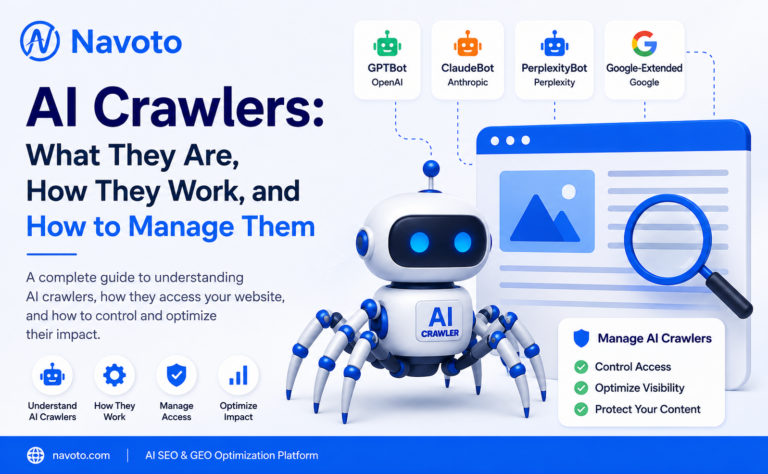
Every time GPTBot, ClaudeBot, or PerplexityBot lands on a page, it’s making a decision that affects whether your content ever gets read, trained on, or cited by an AI system. Here’s what AI crawlers actually do, and how te control of the ones visiting your site.
What are AI crawlers?
AI crlers are automated bots that visit websites to collect content for use by artificial intelligence systems — large language models (LLMs), AI search engines, and AI assistants. Instead of clicking links like a person would, an AI crawler sends automated requests to a page, downloads the content, and moves on to the next link, repeating this process across millions of pages.
The content they gather is used in one of three ways: to train a model so it “learns” language and facts, to build a retrieval index that an AI assistant searches when answering a live question, or to fetch a single page on demand because a real user asked an AI tool to look something up right now.
If you run a website in 2026, AI crawlers are almost certainly visiting it already — whether or not you’ve configured anything for them.
How AI crawlers work
Under the hood, most AI crawlers follow the same basic loop that search engine crawlers have used for decades:
- Start from seed URLs — a sitemap, a list of known pages, or links discovered from earlier crawls.
- Send an HTTP request to the page, identifying itself through a specific user-agent string (for example,
GPTBotorClaudeBot). - Check robots.txt to see whether it has permission to access that part of the site — compliant crawlers respect this file; a handful don’t.
- Parse and extract the content — text, headings, structured data, and increasingly JavaScript-rendered content — while filtering out navigation, ads, and boilerplate.
- Follow outbound links to discover new pages, expanding the crawl outward.
- Feed the data downstream — into a training dataset, a retrieval index, or directly back to a waiting AI assistant.
Because they don’t load images, click buttons, or execute unnecessary scripts, well-behaved AI crawlers can move through a site far faster than a human ever could — which is one reason bot traffic now makes up a substantial share of all web requests.
AI crawlers vs. traditional search crawlers
Googlebot and Bingbot exist to build a searchable index of the web — their job is retrieval: match a query to the most relevant page and rank it. AI crawlers built for model training have a different job entirely: absorb the substance of a page so a model can generalize from it, not just point back to it later.
That distinction matters in practice. A search crawler sends a person to your page. A training crawler may never send anyone anywhere — the content becomes part of a model’s underlying knowledge instead. Retrieval-focused AI crawlers sit in between: they build an index that an AI assistant draws on when it composes an answer, often with a citation back to your site.
The three types of AI crawlers
Nearly every AI bot you’ll find in your server logs falls into one of three categories — and the category determines what happens if you block it.
1. Training crawlers
Wide-reaching bots that harvest content for future model training runs, such as GPTBot, ClaudeBot, Google-Extended, and CCBot. These visits don’t generate any citations or traffic back to you — they only shape what a future model knows. Blocking them has essentially no effect on how your site appears in AI answers today.
2. Search / retrieval crawlers
Bots like OAI-SearchBot, Claude-SearchBot, and PerplexityBot build the index an AI assistant searches when it needs to answer a live question with a citation. Block these, and your pages become invisible to that assistant’s answers — you lose the citation entirely.
3. User-triggered agents
Bots such as ChatGPT-User, Claude-User, and Perplexity-User fetch a specific page in real time because an actual person asked their AI assistant to open or reference it. Blocking these breaks the experience the moment someone tries to hand your page to their assistant.
Full list of major AI crawlers (2026)
Here are the AI crawler user agents most likely to show up in your server logs today:
| User agent | Company | Type | What it feeds |
|---|---|---|---|
GPTBot |
OpenAI | Training | Future OpenAI model training data |
ChatGPT-User |
OpenAI | User-triggered | Live page fetch inside ChatGPT |
OAI-SearchBot |
OpenAI | Search / retrieval | ChatGPT Search index |
ClaudeBot |
Anthropic | Training | Claude model training data |
Claude-SearchBot |
Anthropic | Search / retrieval | Claude’s web-search index |
Claude-User |
Anthropic | User-triggered | Live page fetch inside Claude |
PerplexityBot |
Perplexity | Search / retrieval | Perplexity’s answer index |
Perplexity-User |
Perplexity | User-triggered | Live page fetch inside Perplexity |
Google-Extended |
Training | Gemini & Vertex AI training (does not affect Google Search ranking) | |
Applebot-Extended |
Apple | Training | Apple Intelligence training data |
CCBot |
Common Crawl | Training | Public dataset used by many LLMs (GPT, Llama, Mistral, and others) |
Bytespider |
ByteDance | Training | ByteDance AI models — has a poor track record of respecting robots.txt |
Meta-ExternalAgent |
Meta | Training | Meta AI model training data |
User-agent strings are added or changed several times a year — it’s worth checking each provider’s official bot documentation periodically rather than relying on a static list alone.
Why AI crawlers matter for your website
A growing share of how people find information now runs through AI assistants rather than a traditional search results page. If retrieval crawlers like PerplexityBot or Claude-SearchBot can’t reach your content, your business simply doesn’t exist in that answer — no matter how good the content is.
At the same time, uncontrolled crawling has real costs: server load, bandwidth usage, and, for some publishers, concern over commercial use of their work without compensation. That’s why the decision isn’t “allow or block everything” — it’s choosing, bot by bot, what you actually want happening to your content.
How to allow or block AI crawlers
Most major AI crawlers — including GPTBot, ClaudeBot, Google-Extended, and PerplexityBot — publish their user-agent strings and honor robots.txt. A basic control block looks like this:
# Block training crawlers, keep retrieval and user agents open
User-agent: GPTBot
Disallow: /

User-agent: CCBot
Disallow: /

User-agent: Bytespider
Disallow: /

# Allow AI search / retrieval bots so you can still be cited
User-agent: OAI-SearchBot
Allow: /

User-agent: PerplexityBot
Allow: /

User-agent: Claude-SearchBot
Allow: /
A few things worth knowing before you edit your file:
- Never block Googlebot — that’s your standard search index crawler, unrelated to AI training. Blocking it removes you from Google Search entirely.
- robots.txt is a request, not a lock. Compliant companies honor it, but bots like Bytespider have a documented history of ignoring disallow rules, so server-level blocking (a firewall rule or middleware returning a 403) is the more reliable backstop for non-compliant bots.
- Re-check your rules periodically — new AI user agents appear several times a year, and a blanket
User-agent: *rule can accidentally block a retrieval bot you actually wanted to allow.
Should you block AI crawlers?
There’s no single right answer — it depends on what you’re optimizing for:
- Want AI citations and traffic? Keep search/retrieval and user-triggered bots open (OAI-SearchBot, PerplexityBot, Claude-SearchBot, ChatGPT-User, Claude-User, Perplexity-User).
- Concerned about your content training future models for free? Blocking training-only crawlers (GPTBot, ClaudeBot, Google-Extended, CCBot) doesn’t cost you any AI-search visibility — it only opts you out of the training corpus.
- Worried about server load from bot traffic? Rate-limit or block the highest-volume, lowest-value bots first — non-compliant scrapers are usually the biggest offenders.
How to monitor AI crawler traffic
You can’t manage what you can’t see. A few practical ways to track which AI bots are actually visiting:
- Filter your server or CDN access logs by user-agent string to see which bots are hitting which pages, and how often.
- Use a CDN or bot-management tool (many popular ones maintain a verified list of AI bots) to label and separate AI traffic from regular visitors automatically.
- Watch for repeat visits to the same page from a search/retrieval bot — frequent re-fetching of a specific article is a sign it’s actively being used to answer live questions, which is exactly the kind of visibility worth protecting.
Frequently asked questions
What is an AI crawler in simple terms?
An AI crawler is a bot that automatically visits web pages to collect content for an AI system — either to train a model, build a search index an AI assistant uses to answer questions, or fetch a page in real time when a user asks for it.
Is GPTBot the same as ChatGPT-User?
No. GPTBot collects data for training future OpenAI models and produces no direct traffic. ChatGPT-User fetches a specific page live, in response to an actual person’s request inside ChatGPT.
Does blocking Google-Extended hurt my Google ranking?
No. Google-Extended controls whether your content is used to train Gemini and Vertex AI — it’s separate from Googlebot, which handles Search indexing and ranking.
Do all AI crawlers respect robots.txt?
Most major providers — OpenAI, Anthropic, Google, and Perplexity — publicly commit to honoring robots.txt. A minority of bots, most notably Bytespider, have a track record of ignoring disallow rules, so server-level blocking is a useful backup.
Can I let my site be cited in AI answers without letting it train future models?
Yes. Because training and retrieval crawlers use different user agents, you can block training bots like GPTBot and ClaudeBot while leaving retrieval bots like OAI-SearchBot and Claude-SearchBot open — keeping your citation visibility without contributing to the training corpus.