


Every day, millions of videos circulate across social media, news websites, and messaging apps. Some go viral within hours — shared with captions screaming “This just happened!” or “You won’t believe this!”
But is the video real? Was it recorded today, or three years ago in a completely different country? Did the content creator consent to it being shared? Is it AI-generated?
This is where reverse video search — also called reverse video lookup — becomes essential. A reverse video search lets you identify the original source of any video by analyzing its visual content, typically using a screenshot or extracted frame as your search query across visual search engines.
In 2026, with AI-generated video indistinguishable from real footage and platforms flooded with recycled, out-of-context, and manipulated clips, the ability to verify a video’s origin is no longer a niche journalist skill. It is a fundamental tool for anyone who wants to navigate the internet responsibly — and this guide will show you exactly how to use it.
What Is Reverse Video Search?
| Quick Definition
Reverse video search is a technique for finding the original source of a video by uploading a screenshot or frame to visual search engines such as Google Lens, Yandex Image Search, or Bing Visual Search. Because no major search engine accepts full video files as queries, the method works by extracting representative still frames from the video and using those images as the search input. Also known as: reverse video lookup • search video by image • find original video source • video verification |
The concept borrows from reverse image search, which became mainstream when Google Image Search introduced it in 2011. The core principle is identical: instead of describing what you are looking for with words, you show the search engine a picture and ask it to find visually similar content.
The key technical challenge is that no major search engine currently accepts a full video file as a search query — video files are too large, too variable, and too computationally expensive to match in real time. Instead, the established workaround is to extract one or more representative frames from the video and use those still images as your query. Because a video’s most distinctive visual content is usually visible in a single frame, this approach is highly effective.
How Search Engines Match Video Frames
When you upload a screenshot, the search engine’s visual AI converts it into a mathematical representation of its colors, shapes, edges, and textures. It then compares this representation against billions of indexed images and page thumbnails to surface visually similar content. The result is a list of web pages where the same or similar imagery has been found — often including the original video source.
Why Reverse Video Search Is Important
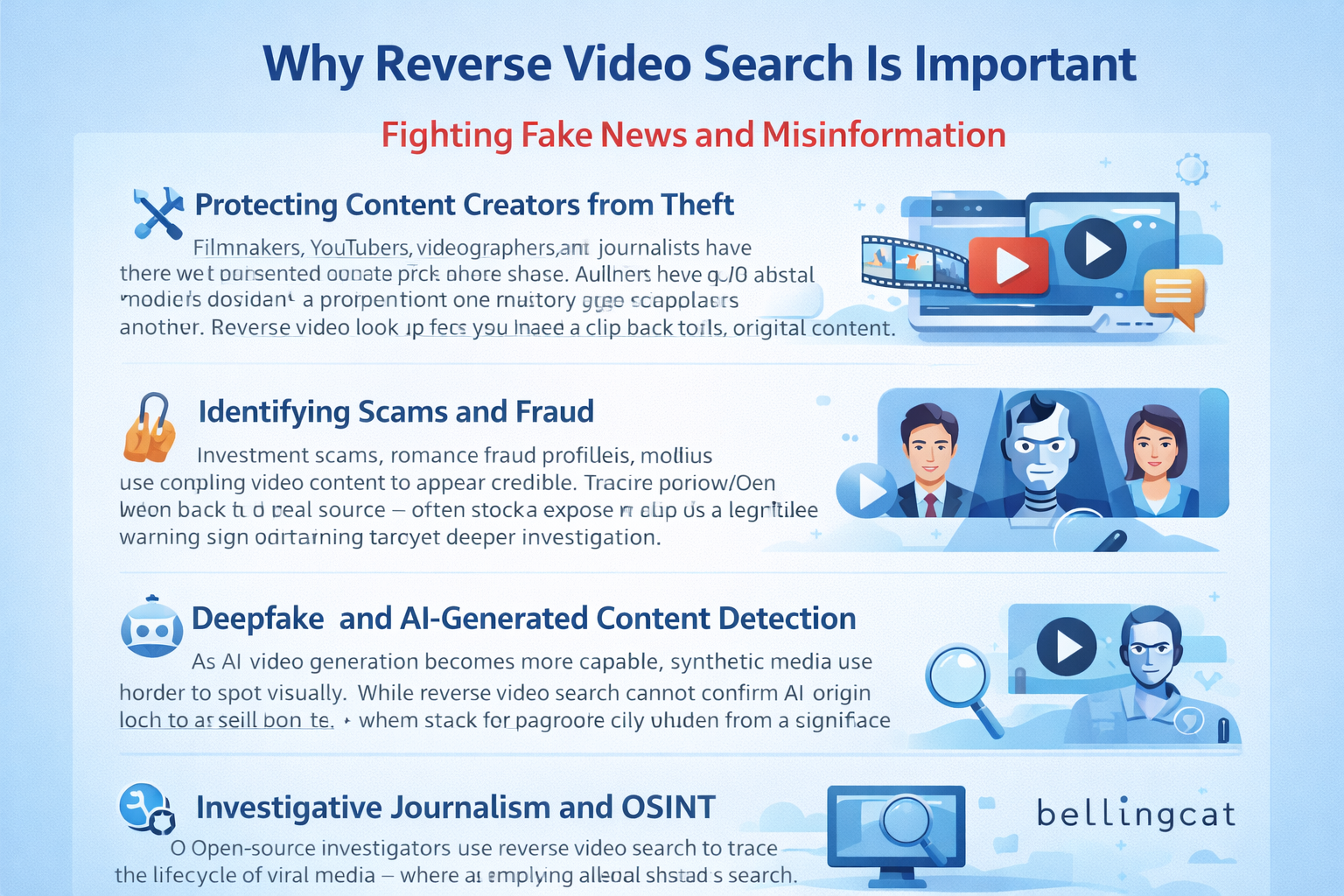
Fighting Fake News and Misinformation
Old footage is routinely reshared as breaking news. A flood from 2019 becomes “today’s disaster.” A protest from one country gets relabeled as another. Reverse video lookup lets you trace a clip back to its original context and confirm whether it genuinely documents the event it claims to show.
Protecting Content Creators from Theft
Filmmakers, YouTubers, videographers, and journalists regularly have their work stolen and reuploaded without credit or compensation. A reverse search video by image workflow helps them discover unauthorized use and file DMCA takedown requests. This is one of the most practical video verification tools available for independent creators.
Identifying Scams and Fraud
Investment scams, romance fraud profiles, and phishing campaigns use compelling video content to appear credible. Tracing a video used in a suspicious message back to its real source — often stock footage or a clip stolen from a legitimate creator — immediately exposes the deception.
Deepfake and AI-Generated Content Detection
As AI video generation becomes more capable, synthetic media is harder to spot visually. While reverse video search cannot confirm AI origin on its own, it is a critical first step: if a clip cannot be traced to any indexable original, that is a significant warning sign warranting deeper investigation with dedicated deepfake detection tools.
Investigative Journalism and OSINT
Open-source investigators use reverse video search to trace the lifecycle of viral media — where a clip originated, how its context shifted as it spread, and whether it has appeared in previous unrelated events. Organizations like Bellingcat have built entire investigative methodologies around this technique.
Best Reverse Video Search Tools in 2026
No single tool dominates across all scenarios. The most reliable approach combines at least two or three engines. Here is a detailed breakdown of the best tools available right now, followed by a comparison table.
| 1. Google Lens [ Free ]
The most accessible starting point. Open your video, pause on a meaningful frame, take a screenshot, and go to images.google.com. Click the camera icon to upload your image. Google Lens uses AI-powered visual matching to surface pages with identical or similar imagery. Chrome users can right-click any paused HTML5 video frame and select “Search image with Google” — skipping the screenshot entirely. Best for: General web content, news footage, YouTube videos. |
| 2. Bing Visual Search [ Free ]
Microsoft’s visual search frequently surfaces different results than Google — making it indispensable when Google returns nothing useful. Bing’s recognition tends to excel with news events, well-known public figures, and geographic landmarks. Access it via images.bing.com and the camera icon in the search bar. Best for: News video verification, supplementing Google results. |
| 3. Yandex Image Search [ Free ]
Consistently praised by journalists and OSINT investigators as the most powerful tool for reverse video lookup involving international footage. Yandex’s facial recognition and indexing of non-English-language platforms regularly surfaces results that Google and Bing miss entirely — especially for content originating in Eastern Europe, the Middle East, and Asia. Visit yandex.com/images and use the camera icon. Best for: International sources, hard-to-trace viral clips. |
| 4. InVID / WeVerify Plugin [ Free — Chrome/Firefox Extension ]
The gold standard for professional video verification. This free browser extension adds a right-click context menu to any online video that automatically extracts multiple keyframes and simultaneously submits them to Google, Bing, Yandex, and other engines. It also provides metadata analysis, magnification for frame inspection, and geolocation comparison tools. Every journalist and fact-checker should have this installed. Best for: Professional verification, journalism, OSINT research. |
| 5. Berify [ Freemium ]
A dedicated reverse image and video search service that aggregates results from multiple engines. Berify also offers monitoring features that alert you when your images or video frames appear on new websites — making it particularly valuable for content creators who need ongoing copyright protection rather than one-off searches. Best for: Continuous copyright monitoring, content protection. |
| 6. TinEye [ Free / Paid ]
TinEye maintains its own independent image index — separate from Google — and is particularly effective at identifying the earliest known appearance of an image online. This makes it a powerful tool for establishing whether a video frame appeared before the date being claimed. Best for: Verifying original upload dates, copyright disputes. |
Tool Comparison at a Glance
| Tool | Best For | Cost | Difficulty | Effectiveness |
| Google Lens | General web searches | Free | Easy | ★★★★☆ |
| Bing Visual Search | News & breaking stories | Free | Easy | ★★★☆☆ |
| Yandex Images | International content | Free | Easy | ★★★★★ |
| InVID / WeVerify | Journalists & OSINT | Free | Advanced | ★★★★★ |
| Berify | Copyright monitoring | Freemium | Medium | ★★★★☆ |
| TinEye | Origin date tracking | Free/Paid | Easy | ★★★☆☆ |
How to Do a Reverse Video Search: Step-by-Step Guide
Follow this five-step workflow to find the original source of any video. This process works whether you encountered the video on social media, a news site, a messaging app, or anywhere else online.
Step 1 — Pause and Capture Multiple Strategic Frames
Pause the video at three or four distinct moments: the opening seconds, a clear mid-section, and near the end. Prioritize frames that contain distinctive visual information — faces of identifiable people, text overlays (news tickers, captions, usernames, watermarks), recognizable landmarks or buildings, unusual or distinctive backgrounds, or unique objects.
Use your system screenshot tool (Windows: Win + Shift + S | Mac: Cmd + Shift + 4 | Mobile: power + volume down) to capture each frame. Save them with descriptive names for easy reference.
Step 2 — Search Google Lens First
Go to images.google.com, click the camera icon, and upload your first screenshot. Review results for news articles, YouTube pages, or social media posts showing the same scene. Chrome users: right-click the paused video frame directly and select “Search image with Google” — no screenshot needed.
Step 3 — Cross-Reference with Yandex and Bing
Upload the same screenshots to Yandex Image Search (yandex.com/images) and Bing Visual Search (images.bing.com). Each engine indexes different web content. A video that returns nothing on Google frequently surfaces immediately on Yandex — this step alone has solved thousands of misinformation investigations that Google missed.
Step 4 — Use InVID for Bulk Multi-Engine Analysis
With the InVID / WeVerify plugin installed, right-click the video in your browser and select “Analyse video with InVID/WeVerify.” The tool extracts multiple keyframes automatically and sends them to all major engines simultaneously. The keyframe panel lets you select the most distinctive frames for focused searching, and the metadata panel reveals technical video information.
Step 5 — Compare Upload Timestamps and Metadata
Once you have found potential source matches, the earliest upload date is your strongest indicator of the original. On YouTube, check the About section of the channel for upload date. On news sites, look for schema-embedded publication timestamps. For downloaded video files, tools like ExifTool reveal creation date, GPS coordinates, and recording device — powerful evidence for establishing provenance.
| Quick Reference Checklist: 1) Capture 3–4 strategic frames → 2) Search Google Lens → 3) Search Yandex + Bing → 4) Use InVID for bulk analysis → 5) Compare upload timestamps → 6) Check video metadata |
5. Reverse Video Search for Fake News Detection
Video has become the primary weapon in modern disinformation campaigns because it carries immediate emotional impact and feels more credible than text. Here is how professionals use a reverse video lookup as a fact-checking tool.
How Journalists Verify Viral Videos
Professional journalists apply a structured verification workflow before sharing any viral clip. They extract frames with InVID, cross-reference the footage across multiple engines, check for earlier appearances of the footage online, and analyze contextual clues within the frames themselves — weather conditions, vegetation season, visible signage, architectural style — to verify whether the location and time of year match the claimed context.
Tracking Context Manipulation
One of the most common disinformation techniques is “context stripping” — sharing authentic footage with a completely fabricated caption. A military exercise becomes an active invasion. A controlled demolition becomes an earthquake. Reverse video search traces the clip to its original coverage, which typically reveals its accurate context and immediately falsifies the new claim.
Establishing the Earliest Known Appearance
A key investigative principle: if you can find the first-ever online appearance of a video, you have powerful evidence of its original context. TinEye is specifically designed for this — it shows the earliest indexed appearance of an image. If a clip “from today” first appeared two years ago under a completely different headline, that is definitive evidence of false context.
| Verified Example: During multiple recent geopolitical events, viral videos purporting to show frontline military action were quickly debunked by journalists using Yandex reverse video search — tracing them back to video game footage, film sets, or unrelated events from years prior. The entire debunking process took under ten minutes. |
6. Common Use Cases for Reverse Video Search
Finding the Original YouTube or Social Media Video
A clip shared on a WhatsApp group or reposted on X (formerly Twitter) rarely credits its original source. A reverse search video by image workflow will frequently surface the original YouTube video, Instagram reel, or news broadcast — giving you context, creator credit, and upload date.
Identifying Scam Videos
Fraudsters use stock footage, clips stolen from legitimate creators, or old news footage to lend false credibility to investment scams, charity fraud, and romance schemes. If the “CEO” introducing an investment opportunity is actually a stock model, or if the “breaking disaster” is a recycled clip, a reverse video search will reveal this within seconds.
Protecting Original Content and Copyright Claims
Content creators can periodically extract frames from their most popular videos and run reverse searches to detect unauthorized reuploads. When infringing copies are found, the creator has clear evidence to file a DMCA takedown notice or pursue platform-level action. This is one of the most direct applications of video verification tools for creators.
Verifying TikTok and Instagram Reels
Short-form video platforms move faster than any fact-checking organization. Pausing a viral TikTok on a distinctive frame and running a reverse search through Google Lens and Yandex often surfaces the original source — a news broadcast, a film clip, or older social media content — that reveals the real story behind what is being shared.
Investigative Journalism and OSINT Research
Open-source investigators combine reverse video search with satellite imagery comparison, linguistic analysis of text in frames, and audio forensics to build comprehensive verification cases. The technique has been used to document human rights violations, track arms shipments, verify election interference, and expose staged propaganda.
7. Reverse Video Search on Mobile
The ability to reverse search a video is no longer limited to desktop computers. Mobile workflows have become faster and more intuitive, making video verification accessible on the go.
On iPhone (iOS)
- Pause the video on the frame you want to search. Take a screenshot (Power + Volume Up).
- Open the Google app or Safari and go to images.google.com.
- Tap the camera icon in the search bar, then select your screenshot from the photo library.
- Alternatively, use the Google Lens app directly — tap the camera, select your screenshot, and Google Lens will run the search instantly.
On Android
- Pause the video and take a screenshot (Power + Volume Down).
- Open Google Photos or the Google Lens app, select the screenshot, and tap the Lens icon.
- For more thorough results, open Chrome, go to images.google.com (request desktop site), and upload your screenshot via the camera icon.
- Yandex also has a strong mobile browser experience — visit yandex.com/images in any mobile browser and use the camera icon to upload your screenshot for often-superior international results.
| Mobile Tip: On both iOS and Android, you can share a screenshot directly to the Google Lens app from your photo library without opening a browser — making the reverse video lookup process faster than ever on mobile. |
8. Limitations of Reverse Video Search
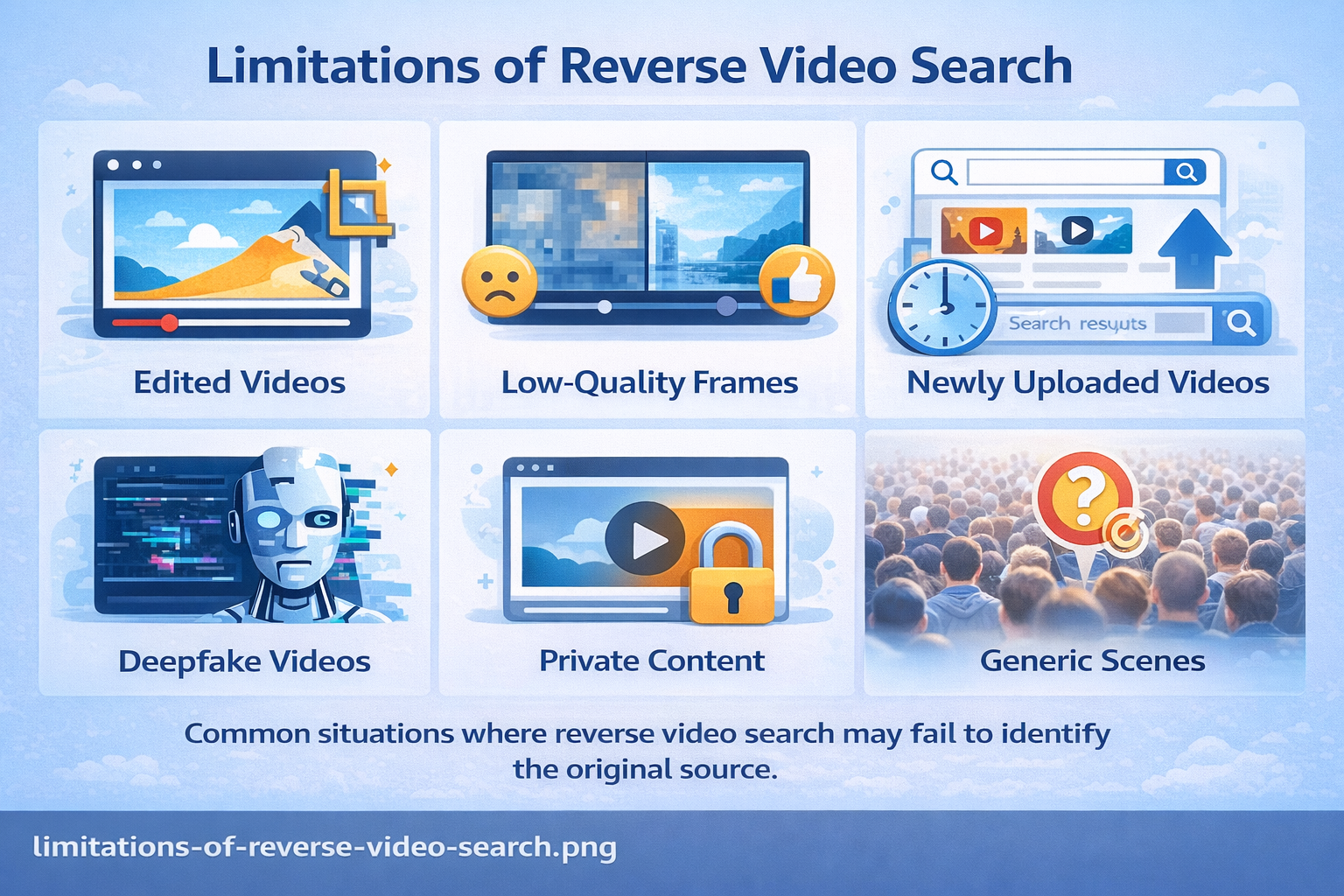
Understanding where this technique falls short helps you know when to use supplementary methods and set accurate expectations.
- Edited or manipulated video: Zooming, cropping, color grading, mirroring, or adding overlays changes the visual fingerprint enough that engines may not match the original. Try multiple frames from different sections to find any unedited portion.
- Low-quality or compressed frames: Heavily compressed video — common on WhatsApp and some social platforms — produces blurry screenshots that lack detail for accurate matching. Find a higher-quality version of the clip on a public platform before searching.
- Newly uploaded or uncrawled content: Search engines index new content on varying schedules. A video uploaded within the past 24–72 hours may not yet be indexed. Retry in a few days if initial results are empty.
- AI-generated and deepfake video: Fully synthetic video has no original source in any image index. Reverse video search can confirm a clip is not a repurposed real video, but dedicated deepfake detection tools (Reality Defender, Sensity AI) are required for definitive synthetic media identification.
- Private and paywalled content: Videos behind login walls, private social media profiles, or paywalled news sites are not indexed and cannot be found through reverse search.
- Highly common visual elements: Frames dominated by generic backgrounds, large crowds, or very common scenes produce too many matching results to be useful. Prioritize frames with unique, distinctive content.
9. Expert Tips to Find the Original Video Faster
These professional-grade techniques will significantly improve your success rate and save time:
- Capture strategically. Prioritize frames with faces, text overlays, landmarks, or distinctive objects. Generic backgrounds and motion-blurred frames produce poor results.
- Use all three major engines. Google, Bing, and Yandex each index different web content. Running all three is not redundant — it is essential for comprehensive coverage.
- Search by visible text. If the video contains a news ticker, caption, username, or watermark, search that text directly on Google or YouTube. Text searches often surface the original source faster than image searches.
- Compare upload timestamps obsessively. Always verify the earliest upload date when you find multiple matches. Earlier is almost always the original.
- Analyze embedded metadata. For downloaded video files, ExifTool reveals creation date, GPS coordinates, and recording device — powerful evidence that frame-based search cannot provide.
- Search in multiple languages. A clip with origins in the Middle East or Eastern Europe may have been first shared in Arabic, Russian, or Persian. Searching Yandex with translated keywords from text visible in the video often surfaces results that English searches miss entirely.
- Use TinEye for date verification. TinEye’s “oldest” sort shows the first-ever indexed appearance of an image — critical for establishing whether “recent” footage actually predates its claimed event.
- Check audio independently. Recognizable music, speech, or distinctive sounds can be searched via Shazam, Google audio search, or transcription tools as a parallel verification path.
| Advanced OSINT Tip: Use the geolocation comparison tool inside InVID / WeVerify to compare satellite map views of the location visible in a video against the claimed location. This technique has been used to verify footage from conflict zones where no other verification method was available. |
10. The Future of Reverse Video Search and AI
The technology underpinning video verification is evolving rapidly, driven by the growing threat of synthetic media and significant investment in digital content authentication.
AI-Powered Video Fingerprinting
Next-generation platforms are moving beyond frame matching toward full video fingerprinting — creating a unique digital signature based on a video’s combined audio, motion patterns, and visual sequences. Even heavily edited, re-encoded, or cropped versions retain enough of the original fingerprint to be matched. YouTube’s Content ID is an early, proprietary version of this technology; open equivalents are in active development.
Dedicated Deepfake Detection Tools
Deepfake detection has become a distinct and rapidly advancing field. Tools from companies like Reality Defender and Sensity AI analyze micro-inconsistencies in facial movements, lighting physics, and pixel-level artifacts that reveal synthetic generation — artifacts invisible to the human eye but detectable by AI. These tools are increasingly being integrated into newsroom workflows and social media platform moderation systems.
The C2PA Content Authenticity Standard
The Coalition for Content Provenance and Authenticity (C2PA) — backed by Adobe, Microsoft, the BBC, and other major organizations — is developing an open standard for attaching tamper-evident provenance records to media files. In practice, this means a video file will carry a verifiable chain of custody showing where it was recorded, on which device, and every edit applied since. This will eventually make the video verification process dramatically more reliable for authenticated content.
Multimodal AI Search
Emerging AI search systems can now process visual content, audio, and natural language descriptions simultaneously. Future video verification tools will allow investigators to describe what they see and hear in a clip, and have AI match that description against indexed content across the web — a far more powerful approach than today’s frame-by-frame screenshot method.
While these technologies represent a promising future, the core skill of knowing how to search video by image using available tools remains essential today. Technology will improve, but the need to verify video content will only grow alongside the technology that generates and distributes it.
Frequently Asked Questions
Q: Can you reverse search a video?
Yes. While no mainstream search engine accepts full video files as input, you can easily reverse search a video by pausing it on a distinctive frame, taking a screenshot, and uploading it to Google Lens (images.google.com), Yandex Image Search (yandex.com/images), or Bing Visual Search (images.bing.com). The InVID / WeVerify browser extension automates this process and simultaneously searches multiple engines from a single right-click.
Q: How do I find the original source of a video?
To find the original source, capture several screenshots from different points in the video and search them using Google Lens, Yandex, and Bing Visual Search. Compare any results by upload date — the earliest appearance is almost always the original source. TinEye is particularly useful for finding the first-ever indexed appearance of a video frame.
Q: Can Google reverse search videos?
Google does not accept video files directly, but Google Lens effectively performs a reverse video search using screenshots. In Chrome, right-click any paused HTML5 video frame and select “Search image with Google” to instantly run a visual search on that frame without taking a separate screenshot.
Q: What is the best reverse video search tool in 2026?
For most users, combining Google Lens and Yandex Image Search gives the best coverage for professional journalists and researchers, the InVID / WeVerify browser plugin is the gold standard — it automates multi-frame extraction and cross-searches multiple engines simultaneously. For ongoing copyright monitoring, Berify adds automated alerts when your content appears on new websites.
Q: How do journalists verify viral videos?
Professional journalists use a structured OSINT workflow: install the InVID / WeVerify plugin, extract multiple keyframes, cross-search Google, Bing, and Yandex, compare upload timestamps to find the earliest known appearance, and use geolocation tools to verify whether the location visible in the video matches the claimed location. The full workflow typically takes 10–15 minutes per video.
Q: Is reverse video search free?
Yes — the most powerful tools are completely free. Google Lens, Bing Visual Search, Yandex Image Search, and the InVID / WeVerify plugin all cost nothing. TinEye and Berify offer free basic tiers with paid options for higher-volume or monitoring use cases.
Q: Can you reverse search a TikTok video?
Yes. Pause the TikTok video on a distinctive frame, take a screenshot, and upload it to Google Lens, Yandex, or Bing Visual Search. If the TikTok clip was originally sourced from YouTube, a news broadcast, or another platform, these engines will frequently surface the original source. The InVID plugin also supports TikTok URL analysis for more detailed frame-level investigation.
Q: Can AI detect fake or deepfake videos?
Increasingly, yes. AI-based deepfake detection tools analyze facial micro-movements, lighting physics, and pixel-level artifacts to identify synthetic video. However, as generation technology improves, detection becomes harder. Reverse video search is an important first step — if a clip has no traceable original source, that is a significant warning sign that warrants deeper investigation with dedicated tools like Reality Defender or Sensity AI.
Q: Does reverse video search work on private or deleted videos?
No — reverse video search relies on content that has been crawled and indexed by search engines. Private social media videos, paywalled content, and deleted videos are not indexed and cannot be found this way. For deleted content, the Wayback Machine (web.archive.org) may have cached versions if the video was previously on a public page.
Q: What is the difference between reverse image search and reverse video search?
Reverse image search uses a still photo as a search query to find visually similar images online. Reverse video search applies the same principle to video content — but since no search engine accepts video files directly, the practical method involves extracting still frames from the video and running those as image searches. The InVID plugin automates this frame extraction step.
Conclusion
In 2026, reverse video search is one of the most practical and important digital skills you can develop. Whether you are a journalist verifying breaking footage, a content creator protecting your work, a marketer confirming a video’s provenance, a cybersecurity researcher tracing disinformation, or simply a careful internet user who wants to know whether what they are watching is real — the tools and workflow in this guide give you everything you need.
The core method is simple: capture multiple distinctive frames, run them through Google Lens, Yandex, and Bing, use InVID for professional multi-engine bulk analysis, and compare upload timestamps to identify the original source. Combine this with an awareness of the technique’s limitations and an understanding of emerging AI verification standards, and you have a robust capability that will serve you well as video-based misinformation continues to evolve.
Start with one viral video you have seen recently and run it through the workflow — you may be surprised what you find. The habit of verifying before sharing is among the most meaningful things any individual can do to slow the spread of misinformation online.

