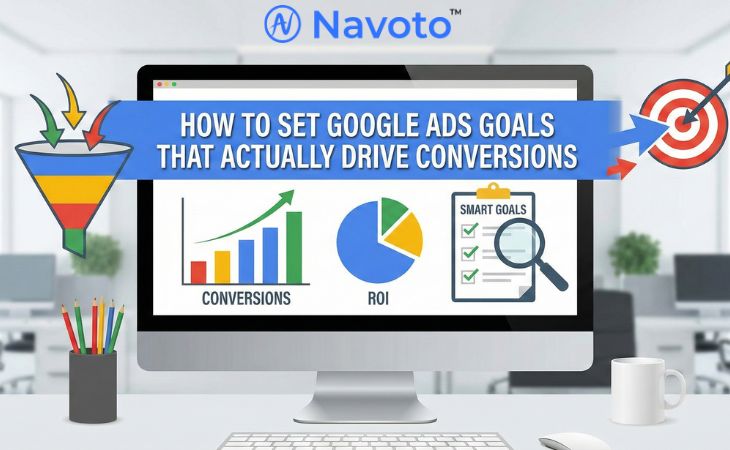
In the world of digital marketing… it’s essential to create clear and realistic goals. In fact, a lack of clear objectives is one of the main reasons why Google Ads fail to generate ROI. If you’re a marketer or business owner, learning how to set goals that are not only fit with your overall business plan but also lead to real conversions can change everything. In this guide, we write the most important steps to set Google Ads goals that your target audience will understand, get the most out of your ad spending, and, in the end, receive a better return on your investment. Get ready to take your advertising to the next level by turning strategic insights into tangible results.
Understanding the Importance of Google Ads Goals
Defining Your Campaign Goals
Setting clear goals is an essential part of any Google Ads plan. First, make sure you know what success looks like for your business. Are you trying to get more people to visit your website or buy things online? If you know what these goals are, you can set up your campaigns in the best way. Sales goals are best for firms that want to make direct sales, while Lead goals can be better for organizations that want to generate leads, as Google says.
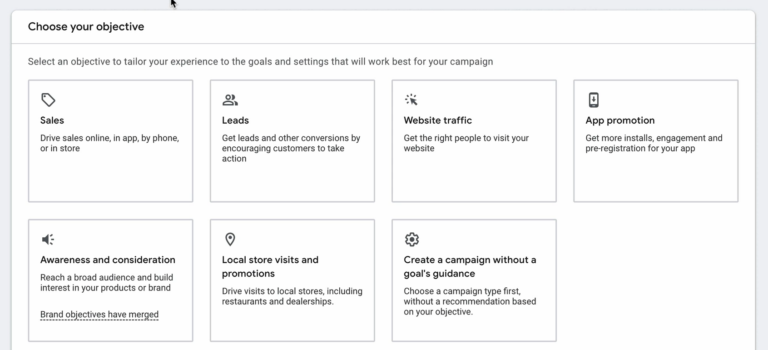
The first thing you have to do when you start a new Google Ads campaign is choose a Campaign Objective. Most new business owners and business owners stop here. They are afraid that picking the wrong button may ruin their campaign. Not always.
What Are the Goals of a Campaign?
If you don’t know what I’m talking about, it’s the first thing that pops up when you click the blue “+” button to start a new campaign. Google gives you a grid of tiles that say, “What’s your campaign goal?” Most of the time, the standard choices are:
- Sales
- Leads
- Website Traffic
- App Promotion
- Awareness & Consideration
- Local Store Visits
- Make a campaign without a goal’s help
Enhance Campaigns Performance
Google Ads goals can make your campaign work better by helping you use your resources more effectively and get better results. When these goals are clear, they help you choose the right type of campaign—Search, Display, or Video—and help you to create good bidding techniques and budget settings and help you to drive higher conversion rates and maximize return on ad spend.
Step-by-Step Guide on How to Set Google Ads Goals
Identify Your Core Goals
Start by making clear goals that are in line with the aims of your organization. Make sure your goals are SMART: precise, measurable, achievable, realistic, and time-bound, whether you want to raise brand awareness, get more leads, or make more sales. For example, aim to get 25% more qualifying leads in the next 30 days. Many sources say that this clarity is the key to your campaign’s success.

Make Your Conversion Goals that are suitable for your needs
Once you understand what your main goals are, figure out what precise activities you want customers to perform, including filling out forms or making purchases. To make it easier to keep track of and evaluate how well your campaign is doing, set these conversion targets in your Google Ads account. Use tools like Google Tag Manager and improved eCommerce tracking to get precise data on these conversions.
Constant Review and Change
Check your goals constantly and make changes based on how well your campaign is working and what is happening in the market. To find areas that need improvement, look at essential data like cost-per-conversion and return on ad spend (ROAS). Treat your Google Ads campaign as a dynamic experiment, allowing room for iteration and optimization as explained succinctly in this guide.
Types of Campaigns
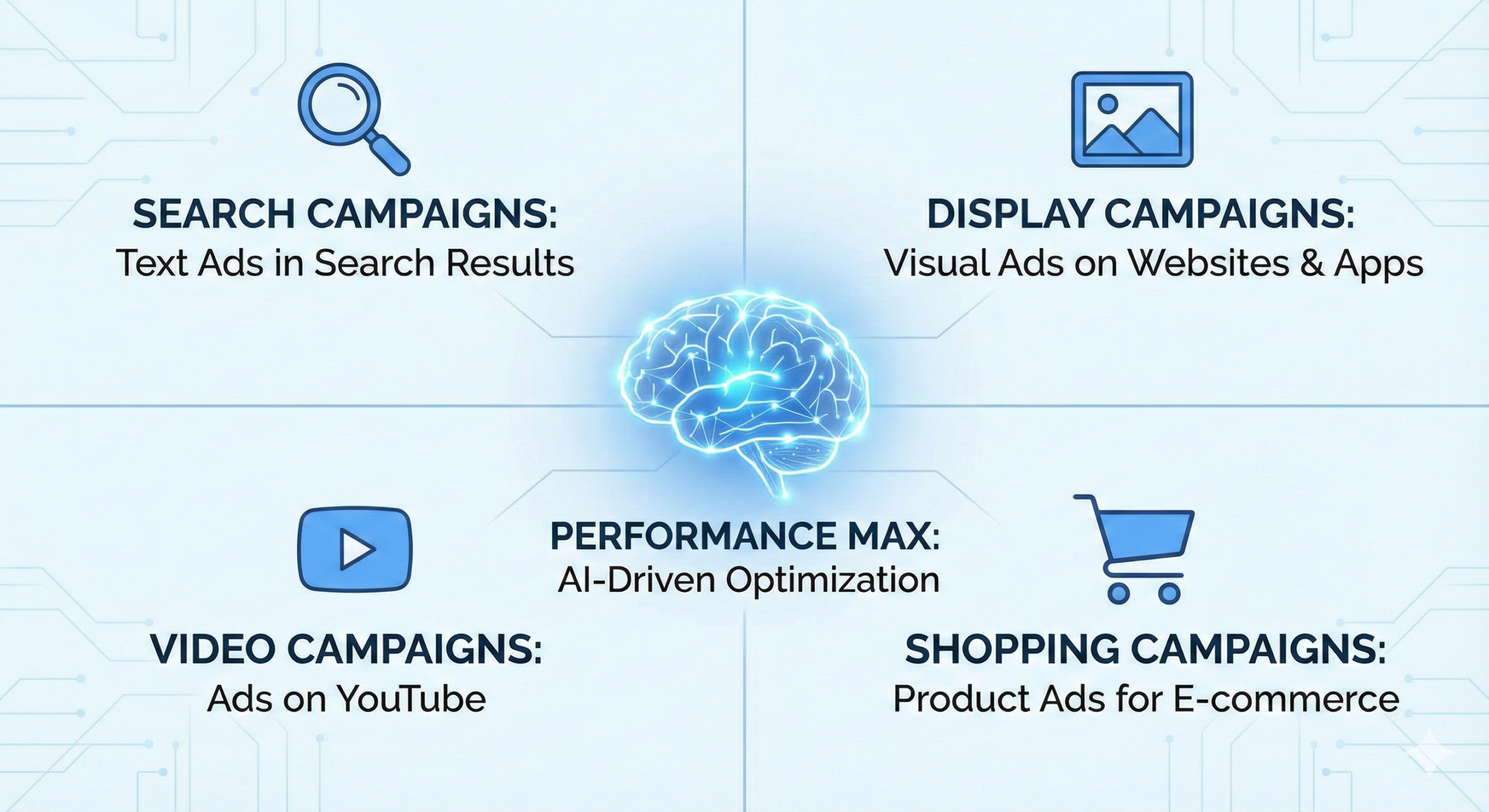
Search Campaigns
Primary Objective: Direct response and lead generation.
Strategic Function: these text-based ads capture high-intent users at the exact moment they query for specific solutions.
Key Benefit: High cost-efficiency. By utilizing a Pay-Per-Click (PPC) model, budget is utilized only when a user actively engages with the ad.
Pro Point – They connect businesses directly with users actively seeking specific products or services, making them highly effective for immediate sales and lead generation due to their targeted approach and cost-effectiveness (pay-per-click).
Display Campaigns
- Primary Objective: Brand awareness and top-of-funnel engagement.
- Strategic Function: Leveraging the Google Display Network, these visually driven campaigns place ads across a vast ecosystem of partner websites and apps.
- Key Benefit: Visual impact. These assets are essential for establishing brand presence and nurturing interest before a user begins an active search.
Pro Point: They excel at broadening visibility beyond search engines, utilizing visually appealing imagery across partner websites and apps to enhance brand awareness and nurture leads.
Performance Max & Specialized Campaigns
- Performance Max: A unified campaign type that automates placement across all Google inventory (YouTube, Search, Maps, etc.) to maximize conversion data and reach.
- Video Campaigns: Focused on brand storytelling via YouTube, these are ideal for businesses with high-quality video assets aiming to deepen customer engagement.
- Shopping Campaigns: A retail-centric solution that displays product inventory (images and pricing) directly in search results, designed specifically for e-commerce transactions.
Pro Point: These integrate into broader marketing goals by using specialized methods—such as AI for cross-channel optimization, video for brand building, or Shopping for e-commerce inventories—to maximize conversion potential and customer loyalty.
Conclusion
You can simply Set Google Ads Goals that are clear, measurable, and in line with your business goals by following the tips in this article. Keep in mind that the key is to know your audience, set clear goals, and keep looking at the performance statistics to improve your strategy. As you get better at defining these targets. You’ll see a substantial increase in conversions, which will make sure that your marketing works as well as possible. If you follow this plan, your Google Ads campaigns will go from being a way to waste money to a strong tool for company success.
Also Checkout – How to set up google merchant center