Let’s be honest — the chatbot world is a noisy place right now. Every software company claims their tool will “revolutionize your customer experience.” But when you actually sit down to figure out which AI powered chatbot platform is right for your business, it gets confusing fast.
Old-school chatbots were frustrating. They only understood specific keywords. Ask the “wrong” way and you’d get sent in circles. Customers hated them.
Today’s AI powered chatbot platforms are a completely different animal. They understand natural language, learn from your own data, remember context across conversations, and can handle complex requests without a human ever stepping in.
In this guide, the team at Navoto breaks down everything you need to know — what an AI chatbot platform actually is, how it works, what features matter, which platforms lead the market, and how to pick the right one for your business.
What Is an AI Powered Chatbot Platform?
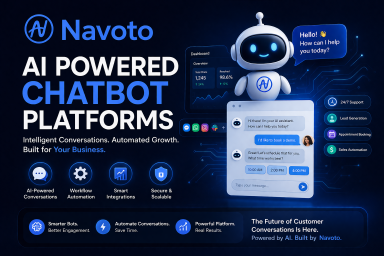
An AI powered chatbot platform is a software system that lets businesses build, deploy, and manage intelligent conversational bots — without needing an army of developers to do it.
Unlike the old rule-based bots that followed rigid scripts, AI chatbots use Large Language Models (LLMs) — the same technology behind tools like ChatGPT — to understand what users are actually saying and respond in a natural, human-like way.
You can feed these platforms your company’s knowledge base, help docs, past support tickets, product pages, or internal documents. The bot learns from all of it and uses that knowledge to answer real customer questions accurately and in context.
💡 Simple Definition: An AI powered chatbot platform = a toolkit that lets you build, launch, and run intelligent bots that talk like real people, learn from your data, and work 24/7 without burning out.
AI Chatbot vs. Traditional Chatbot — What’s the Real Difference?
| Feature | Traditional Rule-Based Bot | AI Powered Chatbot Platform |
|---|---|---|
| Understanding | Keywords and rigid scripts only | Natural language — understands intent and context |
| Learning | Static — never improves on its own | Learns from conversations and your data over time |
| Flexibility | Breaks if user goes “off script” | Handles unexpected questions gracefully |
| Setup | Requires manually scripting every path | Train on your docs, FAQs, or website in minutes |
| Personalization | None or very limited | Adapts tone, recommendations, and responses per user |
| Integrations | Limited | Connects with CRMs, help desks, ecommerce, and more |
How Does AI Chatbot Technology Actually Work?
Understanding what’s under the hood helps you make a smarter buying decision. Here’s a plain-English breakdown:
Step 1 — Natural Language Processing (NLP)
When a user types a message, the AI first uses NLP to figure out what they actually mean. It doesn’t just look for keywords — it understands intent. “I want to cancel” and “How do I stop my subscription?” both mean the same thing, and a good AI bot knows that.
Step 2 — The Language Model
The platform’s LLM (like GPT-4o, Claude, or Gemini) processes the message and generates a response. The quality of the LLM powering a platform has a huge impact on how smart and helpful the bot feels.
Step 3 — Knowledge Retrieval
The bot searches your connected knowledge sources — your help center, product docs, past tickets, website content — to find the most accurate, relevant answer. This is called Retrieval-Augmented Generation (RAG), and it’s what makes today’s bots so much more accurate than older systems.
Step 4 — Response Generation
The AI combines the retrieved information with its language capabilities to write a clear, contextual response in your brand’s tone.
Step 5 — Human Handoff (When Needed)
When the bot encounters something complex or sensitive, it smoothly escalates to a human agent — without losing the conversation context, so the customer doesn’t have to repeat themselves.
The AI Models Powering Today’s Platforms
- GPT-4o / GPT-4 (OpenAI) — Best known for balanced reasoning and broad ecosystem support
- Claude 3 (Anthropic) — Excellent for long documents, safety-focused design, and structured reasoning
- Gemini 1.5 (Google) — Strong for Google Workspace integrations and multimodal tasks
- LLaMA (Meta — Open Source) — Best for teams that need full data privacy and on-premise control
Why Does Your Business Need an AI Powered Chatbot Platform?
The numbers tell a clear story about where things are heading:
- The AI chatbot market is projected to reach $27.29 billion by 2030, growing at 23.3% annually
- 95% of customer interactions are expected to be AI-powered by 2026
- Over 80% of consumers rate their chatbot experience as positive
- 64% of customers say 24/7 availability is the best feature of AI chatbots
- 68% of users value fast responses — which AI bots deliver every single time
- Klarna’s AI chatbot handled 2.3 million conversations in its first month, boosting profits by $40 million
The real question isn’t whether you need an AI chatbot — it’s whether you can afford to wait while your competitors are already using one.
Reality Check: According to Gartner, over 80% of customer interactions are expected to involve chatbots by the end of 2026. If your business isn’t using one yet, your customers are already being served better elsewhere.
Key Features to Look For in an AI Powered Chatbot Platform
Not all platforms are built the same. Here are the features that actually matter when you’re evaluating your options:
1. Natural Language Understanding (NLU)
The bot needs to understand what people are saying — even with typos, slang, or unusual phrasing. A strong NLU engine is the foundation of every good chatbot platform. If the bot only works when users phrase things perfectly, it’s not ready for real customers.
2. Training on Your Own Data
The best platforms let you feed your own content — your help center articles, product documentation, past support tickets, website pages, and even PDFs — so the bot answers questions specifically about your business, not generic content.
3. Omnichannel Deployment
Your customers aren’t just on your website. They’re on WhatsApp, Instagram, Facebook Messenger, Slack, and SMS. A strong AI chatbot platform should let you deploy the same bot across all these channels from one central place, with consistent responses everywhere.
4. Seamless Human Handoff
AI bots should handle what they can and gracefully pass off what they can’t — without the customer having to repeat themselves. Look for platforms that transfer the full conversation history to the human agent automatically.
5. CRM and Help Desk Integrations
Your chatbot needs to plug into the tools you already use — Zendesk, Freshdesk, HubSpot, Salesforce, Intercom, Shopify. If it can’t connect with your existing stack, it creates more work, not less.
6. Analytics and Reporting
You need to know what’s working and what isn’t. Look for dashboards that show conversation volumes, resolution rates, drop-off points, top unanswered questions, and customer satisfaction scores.
7. No-Code or Low-Code Builder
The best platforms let non-technical team members build, update, and manage the bot without writing code. This keeps things moving fast and removes IT as a bottleneck.
8. Multilingual Support
If you serve customers in more than one language, your bot needs to as well. Many modern AI platforms support dozens of languages out of the box.
9. Security and Data Privacy
Make sure the platform meets compliance standards relevant to your industry — GDPR, HIPAA, SOC 2, and so on. You’re giving the bot access to sensitive customer data, so this is non-negotiable.
10. Simulation / Testing Mode
The ability to test your bot on real past conversations — before any customer ever sees it — is incredibly valuable. This feature shows you exactly how the AI would have performed historically, so you can launch with confidence rather than crossing your fingers.
Top AI Powered Chatbot Platforms in 2026
There are dozens of options on the market. Here’s an honest look at the leading platforms, who they’re built for, and what sets each one apart.
Quick Comparison Table
| Platform | Best For | Standout Feature | Starting Price |
|---|---|---|---|
| eesel AI | Help desk teams, support automation | Trains on past tickets; simulation mode | $299/month |
| Intercom (Fin) | Mid-market SaaS and CX teams | Deep help desk integration; intelligent routing | Custom pricing |
| Tidio | Small businesses and e-commerce | All-in-one live chat + AI in one affordable tool | $32.50/month |
| Chatbase | Beginners, simple Q&A bots | Fastest setup — live in minutes from a URL | $40/month |
| Botpress | Developers, complex custom workflows | Open-source; total control over every conversation flow | Free + pay-as-you-go |
| Zendesk AI | Enterprise teams already on Zendesk | Native integration inside the full Zendesk suite | Bundled with plans |
| Manychat | Social media marketing automation | Triggers automations from Instagram/Facebook engagement | $15/month |
| IBM watsonx | Large enterprise deployments | Enterprise-grade NLP; deep CRM and back-end integration | Custom pricing |
Platform Deep Dives
eesel AI — Best for Support Teams
eesel AI is purpose-built for customer support teams. Its biggest advantage is that it trains on your existing past tickets, learning your brand’s voice and how you solve specific problems from day one. Its simulation mode is particularly impressive — it tests the AI against thousands of historical conversations to give you a real forecast of resolution rates before a single real customer interacts with it. Setup is entirely self-serve; no developers or sales demos required.
Intercom (Fin) — Best for SaaS Companies
Intercom’s AI assistant, Fin, uses your help documentation to deliver accurate, contextual answers. It’s deeply integrated into the broader Intercom platform, which includes advanced routing, analytics, and compliance features. Best for mid-market and enterprise SaaS companies that already operate within the Intercom ecosystem.
Tidio — Best for Small Business and E-commerce
Tidio packs live chat, AI chatbots, and email marketing into one affordable package. Its AI assistant, Lyro, can answer customer questions based on your FAQ content. It’s ideal for small businesses that want a simple, effective way to manage website chats without juggling multiple tools. Tidio also offers proactive chat features that engage visitors before they leave.
Chatbase — Best for Beginners
If you just need a simple bot running fast, Chatbase is the easiest on-ramp available. Give it your website URL or upload a document, and you’ll have a working chatbot in under five minutes. It’s not built for complex support automation, but for basic Q&A and lead capture, it’s hard to beat for simplicity.
Botpress — Best for Developers
Botpress is the power tool of the group. Open-source in origin, it gives developers full control over every step of a conversation flow. It supports over 10 deployment channels and offers a sophisticated visual builder. It has a steep learning curve if you’re not technical, but if you need custom workflows and multi-step automations, nothing matches it.
Manychat — Best for Social Media
Manychat lives on social media channels. It’s built to automate conversations on Facebook Messenger, Instagram DMs, WhatsApp, and SMS. Its trigger-based automation (e.g., automatically responding when someone comments on a post) makes it a powerful tool for marketing teams running social campaigns.
Use Cases: How Different Industries Use AI Chatbot Platforms
AI chatbots aren’t just for tech companies. Here’s how different industries are putting them to work:
E-commerce and Retail
Bots help shoppers find products, track orders, process returns, and recover abandoned carts — all automatically. Retail businesses report sharper reductions in cart abandonment and fewer repeated support questions since deploying AI chatbots.
Banking and Finance
Over 92% of North American banks now use AI chatbots to help customers check balances, reset passwords, apply for loans, and complete KYC processes — without waiting on hold. AI chatbot interactions in banking now represent over $2 billion in market value.
Healthcare
Healthcare chatbots handle appointment booking, symptom checking, medication reminders, and patient intake — reducing admin load significantly. Australia’s NIB insurer saved over AU$22 million using their AI chatbot “Nibby,” which now handles 60% of all inquiries without human involvement.
SaaS and Tech Support
SaaS companies use AI chatbots for onboarding walkthroughs, bug report triage, subscription management, and technical FAQ responses. First-contact resolution rates improve by up to 30% when AI is handling the frontline.
Education
Educational institutions deploy AI bots to answer admissions questions, guide students through enrollment, and provide 24/7 homework help and resource recommendations.
Travel and Hospitality
Hotels, airlines, and travel platforms use bots for booking assistance, itinerary changes, and real-time travel updates — reducing call center volume while improving the guest experience.
Key Benefits of Using an AI Powered Chatbot Platform
24/7 Availability — Without Extra Staff
AI chatbots never sleep, take lunch breaks, or call in sick. Your customers get instant help at 3am on a Sunday just as easily as on a Tuesday afternoon. This is the #1 feature customers consistently say they love — 64% in every major survey.
Dramatically Lower Support Costs
A single AI chatbot can handle thousands of conversations simultaneously — something that would require dozens of human agents. This directly reduces your cost per interaction and lets your human team focus on complex, high-value cases instead of answering “what’s your return policy?” for the hundredth time.
Faster Response Times
AI bots respond in seconds, every time. Businesses using AI chatbots see 30% faster average response times — and 68% of customers say fast responses are what they value most.
Consistent, Accurate Answers
Unlike human agents who might give slightly different answers depending on the day, an AI bot trained on your knowledge base delivers the same accurate response every single time. No more “I’ll have to check with my manager.”
Scalability Without Headcount
During peak seasons, product launches, or marketing campaigns, your support volume can spike dramatically. An AI chatbot scales instantly with demand — no emergency hiring, no overtime, no quality drops.
Personalized Experiences at Scale
Modern AI chatbot platforms can access CRM data to personalize every conversation — greeting users by name, referencing their order history, and making relevant product recommendations. Businesses see up to a 27% improvement in customer satisfaction scores through AI-powered personalization.
Valuable Customer Insights
Every conversation your bot has is data. AI platforms analyze these conversations to surface trends — what questions come up most, where customers get confused, what’s driving churn. This intelligence helps you improve products, refine support content, and spot issues early.
Seamless Lead Generation
64% of businesses report that chatbots help increase lead generation. A bot can qualify leads 24/7, gather contact information, and route hot prospects directly to your sales team — without any manual effort.
How to Choose the Right AI Powered Chatbot Platform for Your Business
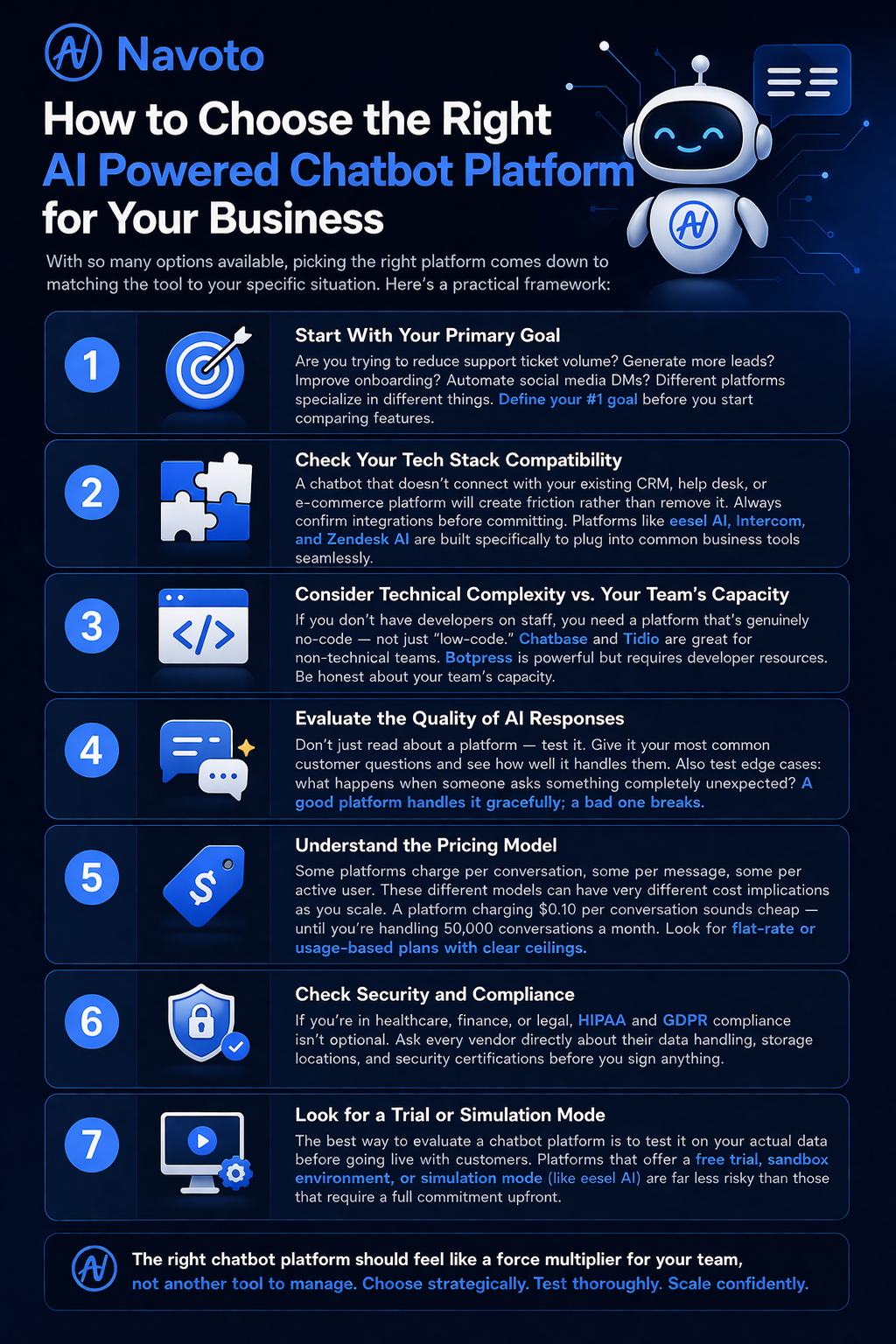
With so many options available, picking the right platform comes down to matching the tool to your specific situation. Here’s a practical framework:
1. Start With Your Primary Goal
Are you trying to reduce support ticket volume? Generate more leads? Improve onboarding? Automate social media DMs? Different platforms specialize in different things. Define your #1 goal before you start comparing features.
2. Check Your Tech Stack Compatibility
A chatbot that doesn’t connect with your existing CRM, help desk, or e-commerce platform will create friction rather than remove it. Always confirm integrations before committing. Platforms like eesel AI, Intercom, and Zendesk AI are built specifically to plug into common business tools seamlessly.
3. Consider Technical Complexity vs. Your Team’s Capacity
If you don’t have developers on staff, you need a platform that’s genuinely no-code — not just “low-code.” Chatbase and Tidio are great for non-technical teams. Botpress is powerful but requires developer resources. Be honest about your team’s capacity.
4. Evaluate the Quality of AI Responses
Don’t just read about a platform — test it. Give it your most common customer questions and see how well it handles them. Also test edge cases: what happens when someone asks something completely unexpected? A good platform handles it gracefully; a bad one breaks.
5. Understand the Pricing Model
Some platforms charge per conversation, some per message, some per active user. These different models can have very different cost implications as you scale. A platform charging $0.10 per conversation sounds cheap — until you’re handling 50,000 conversations a month. Look for flat-rate or usage-based plans with clear ceilings.
6. Check Security and Compliance
If you’re in healthcare, finance, or legal, HIPAA and GDPR compliance isn’t optional. Ask every vendor directly about their data handling, storage locations, and security certifications before you sign anything.
7. Look for a Trial or Simulation Mode
The best way to evaluate a chatbot platform is to test it on your actual data before going live with customers. Platforms that offer a free trial, sandbox environment, or simulation mode (like eesel AI) are far less risky than those that require a full commitment upfront.
Common Mistakes Businesses Make When Choosing an AI Chatbot Platform
Choosing Based on Price Alone
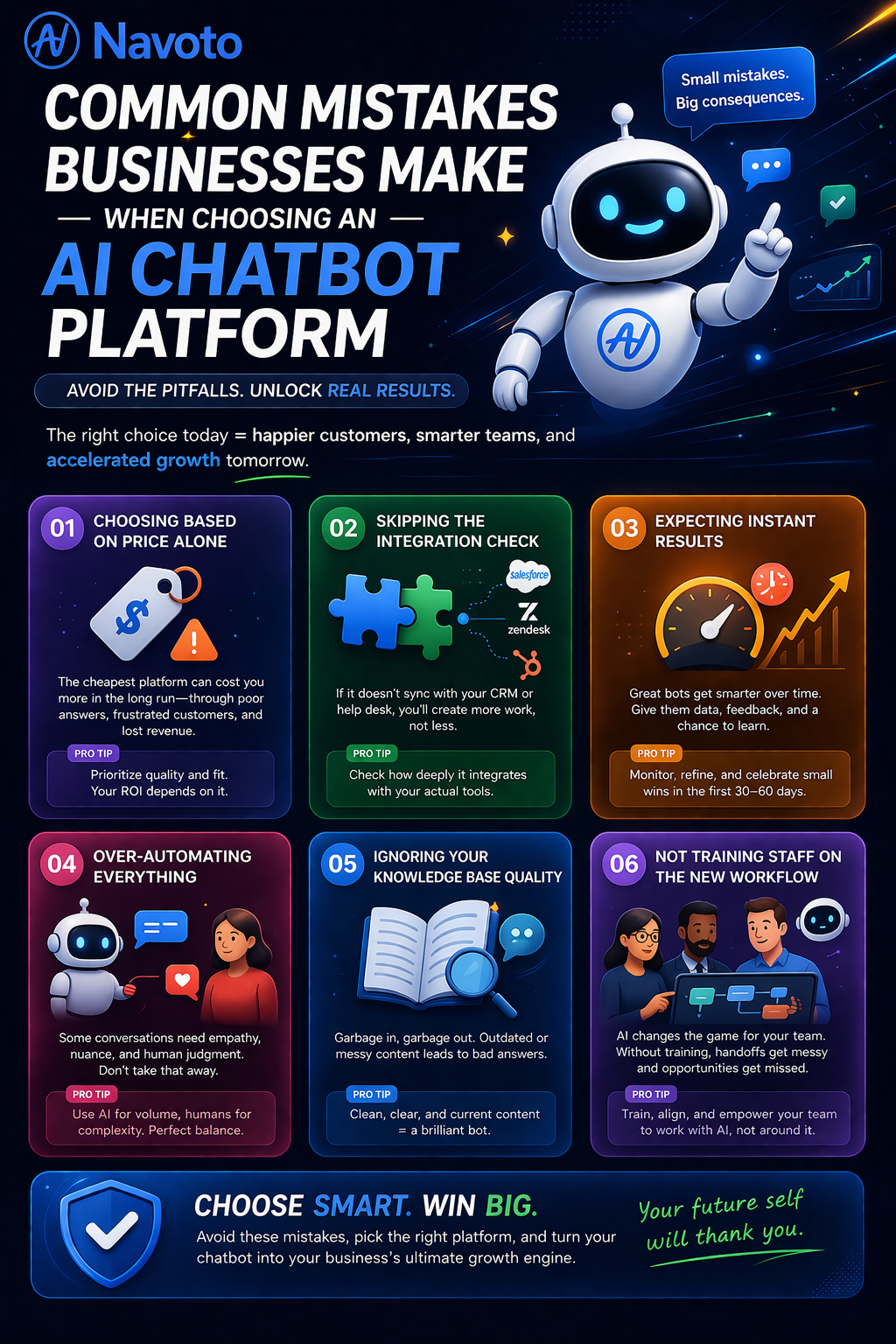
The cheapest platform is almost never the right one. A bot that gives inaccurate answers, frustrates customers, or breaks under load will cost you far more in lost business than you saved on software fees. Prioritize quality and fit over cost.
Skipping the Integration Check
Many businesses buy a chatbot platform and then discover it doesn’t connect properly with their CRM or help desk. Always verify integrations with your specific tools before purchasing — not just whether they “support” the platform in theory, but how deeply the integration actually works.
Expecting Instant Results
AI chatbots improve over time as they’re trained on more data and refined based on real conversations. Setting realistic expectations — and monitoring performance in the first 30–60 days — is critical. The bots that perform best at month six usually weren’t perfect on day one.
Over-Automating Everything
Not every customer interaction should be handled by a bot. Sensitive complaints, complex billing disputes, and emotionally charged conversations often need a human touch. The best implementations use AI to handle volume and route the right cases to human agents — not to replace them entirely.
Ignoring Your Knowledge Base Quality
An AI chatbot is only as good as the information it’s trained on. If your help center articles are outdated, incomplete, or confusingly written, your bot will give outdated, incomplete, and confusing answers. Clean up your knowledge base before or alongside deploying a chatbot — it makes an enormous difference.
Not Training Staff on the New Workflow
When AI takes over first-line support, it changes how your human agents work. They’ll be handling escalations and complex cases, not routine queries. Make sure your team understands the new workflow, how handoffs work, and how to review and improve the bot’s performance over time.
Frequently Asked Questions About AI Powered Chatbot Platforms
What is an AI powered chatbot platform?
It’s a software system that lets businesses build, deploy, and manage AI chatbots — intelligent bots that use Large Language Models (LLMs) to understand natural language, learn from your company’s data, and have helpful conversations with customers 24/7. Unlike old rule-based bots, these systems handle unpredictable questions and improve over time.
How long does it take to set up an AI chatbot?
It depends on the platform and complexity. Simple platforms like Chatbase can have a basic bot running in under 10 minutes. Mid-range platforms like Tidio typically take a few hours to a day. Enterprise solutions that integrate deeply with multiple systems (like Zendesk AI or IBM watsonx) can take weeks or months to fully configure.
How much does an AI chatbot platform cost?
Pricing varies widely. Simple tools start around $15–$40/month. Mid-range business platforms run $150–$500/month. Enterprise solutions are typically custom-priced based on usage and features. The key is not to focus only on the upfront cost — factor in the value of reduced support costs, faster response times, and improved conversion rates.
Can AI chatbots replace human customer support agents?
Not entirely, and they shouldn’t. AI chatbots excel at handling high-volume, repetitive questions quickly and consistently. But complex disputes, sensitive complaints, and nuanced conversations benefit from human judgment and empathy. The best approach is a hybrid model — AI handles the frontline, humans handle the escalations.
What’s the difference between a chatbot and a conversational AI platform?
A chatbot is typically a single bot that answers questions in a chat interface. A conversational AI platform is a broader system that lets you build, manage, and deploy multiple bots across multiple channels, with deeper integrations, analytics, workflow automation, and customization. Most modern “chatbot platforms” are really conversational AI platforms.
Do I need technical skills to use an AI chatbot platform?
Not necessarily. Many modern platforms are genuinely no-code — you can train a bot, set up integrations, and launch it without writing a single line of code. Platforms like Chatbase, Tidio, and Manychat are designed specifically for non-technical users. Developer-focused tools like Botpress require coding skills but offer far more customization in return.
How do AI chatbots handle multiple languages?
Most modern AI chatbot platforms support multilingual conversations out of the box, thanks to the underlying LLMs which are trained on content in dozens of languages. Some platforms let you set a primary language and auto-detect others. Always confirm which languages are supported before purchasing if you serve an international audience.
Is my customer data safe with an AI chatbot platform?
It depends on the vendor. Reputable platforms are transparent about where data is stored, how long it’s retained, and what compliance certifications they hold (SOC 2, GDPR, HIPAA, etc.). Always read the data processing agreement before signing up — especially if you handle sensitive financial or healthcare data.
Ready to Deploy an AI Powered Chatbot for Your Business?
Choosing the right AI powered chatbot platform can transform how your business handles customer support, lead generation, and engagement — all while saving significant time and cost.
At Navoto, we help businesses identify, implement, and optimize the right AI chatbot solutions for their unique needs. Whether you’re just starting to explore the options or ready to deploy, our team is here to help you move fast and get it right.
👉 Talk to the Navoto team today — Get a free consultation →
Final Thoughts
The AI powered chatbot platform market has matured rapidly. What once required months of development and a team of engineers can now be set up by a non-technical support manager in an afternoon. The businesses winning with AI chatbots in 2026 aren’t necessarily the ones with the biggest budgets. They’re the ones that picked the right platform for their specific use case, integrated it properly with their existing tools, and kept improving it based on real conversation data.
Start by being clear about your goal. Choose a platform that fits your team’s technical capacity. Test it thoroughly before going live. And don’t try to automate everything at once — start with the highest-volume, most repetitive questions, prove the value, then expand. The technology is genuinely impressive now. The bigger variable is the strategy behind it.
At Navoto, we help businesses get that strategy right — from platform selection to implementation to ongoing optimization. If you’re ready to put AI to work for your customer experience, let’s talk.