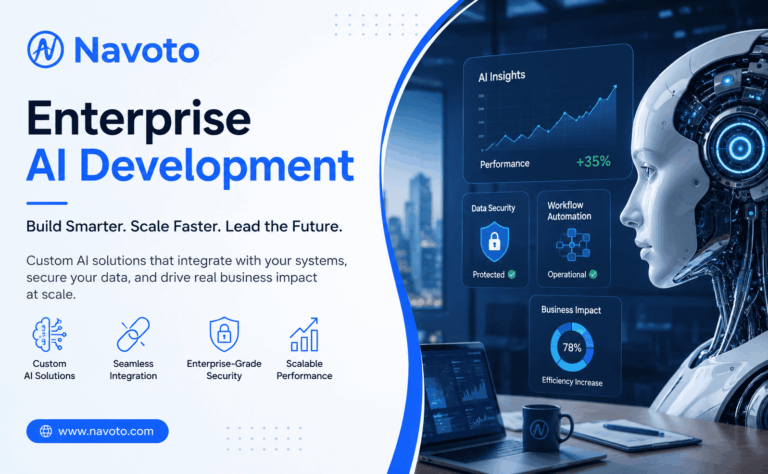
Enterprise AI development is the work of building artificial intelligence systems that are made to run inside a real company — not a small app for one person, but software that plugs into your existing tools, works with your real business data, and holds up when hundreds of employees or customers use it every day.
If you searched for this term, you’re probably trying to figure out one of three things: what enterprise AI development actually involves, how it’s different from just using a tool like ChatGPT, or how much it costs to build something real. This guide answers all three, in plain language, without the jargon most articles bury you in.
In short: Enterprise AI development means designing custom AI systems — for things like customer support, fraud detection, forecasting, or document processing — and building them so they work with your company’s existing software, data, and security rules.
Projects usually range from around $20,000 for a small pilot to $500,000+ for a full production system, and take anywhere from 6 weeks to 12+ months depending on scope.
What Is Enterprise AI Development?
Think about how Netflix guesses which show you’ll like, or how your email quietly sorts spam into its own folder. That’s AI working in the background, trained to spot patterns and make a small decision.
Enterprise AI development takes that same idea and points it at your business instead of a streaming app. Instead of recommending a movie, the system might flag a suspicious transaction, answer a customer’s support ticket, predict which machine on a factory floor is about to fail, or read through thousands of invoices in seconds.
The word “enterprise” is doing a lot of work in that phrase. A small AI tool you download only has to work for one person, on one dataset, doing one job. Enterprise AI has to work for hundreds or thousands of employees, pull data from a dozen different systems (your CRM, your ERP, your support desk, your internal databases), follow your industry’s security and compliance rules, and keep working reliably as your data keeps growing.
That’s why this is a different discipline from just “using AI.” It’s closer to building a piece of core business software than it is to trying out a chatbot plugin. Companies like Navoto approach it that way — through custom AI software development rather than off-the-shelf configuration.
Enterprise AI vs. Off-the-Shelf AI Tools
It helps to see the difference side by side.
| Off-the-shelf AI tool | Custom enterprise AI | |
|---|---|---|
| Setup | Sign up and go | Built around your own data and workflows |
| Data | Generic, not trained on your business | Trained on and connected to your company’s own data |
| Integration | Rarely connects to your internal systems | Built to plug into your ERP, CRM, databases, and more |
| Security & compliance | Limited control over how your data is used | Built to match your industry’s rules (HIPAA, SOC 2, GDPR, etc.) |
| Cost | Low, subscription-based | Higher upfront, built to scale with the business |
| Best for | Simple, one-off tasks | Core processes that touch many teams or customers |
Off-the-shelf tools are great for getting started quickly. But once AI needs to touch sensitive data, several departments, or a process your whole company depends on, most businesses move to a custom build — sometimes starting with something focused, like connecting an existing model like ChatGPT to their internal systems, before building something fully custom.
Types of Enterprise AI Development Services
“Enterprise AI development” isn’t one single service. It’s a handful of related disciplines that usually get combined into one project, depending on what a business actually needs. Here’s what each one covers.
| Service | What it actually does |
|---|---|
| AI consulting & strategy | Figures out where AI can realistically help your business, before any code gets written. |
| Custom AI / ML development | Builds a model trained specifically on your data, for things like forecasting, scoring, or classification. Part of custom AI software development. |
| Generative AI development | Builds systems that draft, summarize, or generate content and answers from your own data. See generative AI development. |
| AI agent development | Builds AI that takes multi-step action on its own — not just answering, but actually completing the task. See AI agent development. |
| AI chatbot development | Builds conversational support for customers or employees — often the first thing companies build. See ChatGPT integration services. |
| AI integration | Connects an AI model, custom or off-the-shelf, to your existing CRM, ERP, or internal systems. See AI integration services. |
| AI automation | Uses AI to remove manual steps from a workflow, such as approvals, routing, or data entry. |
Most enterprise AI projects combine two or three of these rather than needing all of them. A common example: a chatbot that pulls real data from your CRM (integration) and drafts its replies (generative AI). It’s rarely just one service working alone.
Signs Your Business Is Ready for Enterprise AI
You don’t need AI just because it’s trendy right now. Here are honest signs it’s actually worth the investment:
- Your team spends hours every week on repetitive work like data entry, invoice checks, or answering the same handful of support questions.
- You have years of business data sitting unused in spreadsheets or old databases nobody looks at.
- Competitors in your industry are already using AI to move faster or cut costs, and you can feel it.
- Big decisions in your company still rely on gut feeling, because pulling the real numbers takes too long.
- Your support or operations team can’t keep up with growing volume without hiring a lot more people.
On the market size: analysts don’t fully agree on the exact number, but most estimates put the global enterprise AI market on track to pass $150 billion by 2030. Whatever the precise figure turns out to be, the direction is the same — more companies are moving past testing AI and actually running their operations on it.
Benefits of Enterprise AI Development
Here’s what businesses actually get out of it once a system is up and running properly.
| Benefit | What it means in practice |
|---|---|
| Fewer manual hours | Repetitive tasks like data entry and ticket routing get handled automatically, freeing people for harder work. |
| Faster decisions | Reports and forecasts that used to take days can be ready in minutes. |
| Better customer experience | Support responses get faster and more consistent, day or night. |
| Fewer errors | AI doesn’t get tired at 4pm on a Friday — accuracy on repetitive, well-defined tasks tends to improve. |
| Room to grow | The system can handle more volume without headcount having to grow at the same rate. |
| Lower cost over time | The upfront cost is real, but ongoing manual labor cost usually drops enough to pay it back. |
None of this happens automatically just because a company “has AI.” The benefit only shows up when the system is built around a real, specific problem — which is what the process below is for.
Real-World Enterprise AI Use Cases
Here’s where enterprise AI shows up in day-to-day business, in plain terms.
Customer support and internal agents
AI can handle the repetitive share of support tickets — password resets, order status, common questions — and hand off anything tricky to a human with full context already attached. Picture an insurance company that gets a few thousand claim status questions a month; instead of a person answering the same question over and over, an AI agent handles it instantly and only loops in staff for anything unusual. This is the kind of work covered by AI agent development.
Fraud and risk detection
Banks and payment companies use AI to scan transactions in real time and flag the ones that look off, based on patterns a human reviewer would take too long to spot manually.
Predictive maintenance
Manufacturers put sensors on equipment and use AI to predict when a machine is likely to break down, so it can be fixed on a Tuesday afternoon instead of failing mid-shift on a Friday.
Demand forecasting and supply chain
Retailers and distributors use AI to predict what they’ll need to stock, where, and when — instead of guessing based on last year’s spreadsheet.
Document and back-office automation
Contracts, invoices, claims forms, onboarding paperwork — AI can read, sort, and pull the key details out of documents that used to need a person to open each one by hand.
Content and personalization at scale
Generative AI can draft product descriptions, personalize marketing emails, or summarize long reports for busy executives. This is the space covered by generative AI development.
By department, at a glance
| Department | Common use case |
|---|---|
| Customer Support | AI chatbots and automatic ticket routing |
| Sales | Lead scoring and forecasting who’s likely to buy |
| Marketing | Personalized emails, content drafting, audience segmentation |
| HR | Resume screening and employee Q&A assistants |
| Finance | Fraud detection and automated invoice processing |
| Operations | Predictive maintenance and workflow automation |
| IT | Internal knowledge assistants and ticket triage |
| Procurement | Vendor comparison and contract review |
The right starting point depends on your own data, your existing systems, and which of these is costing you the most time right now — not on which use case sounds the most impressive.
How Enterprise AI Development Actually Works
Here’s the process, broken into six steps that actually happen in order — not a wall of theory.
1. Find the real problem first
The best projects start with a specific, painful problem — “our support team is drowning in the same 20 questions” — not a vague goal like “we should use more AI.” A clear problem gives the whole project a way to measure success later.
2. Get your data in shape
AI is only as good as the data behind it. This stage is about pulling data together from wherever it’s scattered, cleaning up the messy parts, and making sure it’s actually usable. In most projects, this quietly ends up being the most time-consuming step.
3. Build a small pilot before going big
Instead of building a company-wide system on day one, a good team builds a small, working version first — often for one team or one use case. This proves the idea actually works before anyone spends the bigger budget.
4. Connect it to your existing systems
An AI model sitting on its own doesn’t help anyone. It needs to talk to your CRM, ERP, support desk, or internal databases so the insights it produces actually reach the people and workflows that need them. This is the part most projects underestimate, and it’s exactly what AI integration services are built to handle.
5. Roll it out in stages
Once the pilot proves itself, the system gets rolled out to more teams, more data, and more users gradually — not all at once. Staged rollouts make it much easier to catch problems early, while they’re still small.
6. Keep watching and improving it after launch
Launch is not the finish line. Business data changes, customer behavior shifts, and models can quietly get worse over time if nobody’s watching. Ongoing monitoring and retraining is what keeps the system accurate months and years later.
What’s Actually Inside an Enterprise AI System
You’ll see these terms come up in almost any conversation about enterprise AI. Here’s what they actually mean, without the jargon.
- Data storage (data lake or data warehouse): A central place where all your business data gets collected and organized, so the AI has one clean source to learn from instead of a dozen scattered spreadsheets.
- The AI model: The actual “brain” — either a large language model like GPT accessed through an API, or a custom-trained model built specifically for your data and your problem.
- Integration layer (APIs): The connective tissue that lets the AI talk to your other business software, so a prediction or answer actually shows up where an employee or customer will see it.
- Monitoring (sometimes called MLOps): Ongoing tracking of how accurate the system stays over time, so problems get caught before they affect the business.
- Security and governance: The rules and controls that decide who can access what data, how it’s protected, and how the system stays compliant with your industry’s regulations.
Common Roadblocks (and How to Get Past Them)
| The problem | The fix |
|---|---|
| Data is scattered across systems and full of gaps | Start with a data cleanup and centralization pass before touching any model. It’s not glamorous, but it decides whether the project succeeds. |
| Old systems that don’t talk to each other | Build an integration layer with proper APIs instead of trying to force a direct connection between incompatible tools. |
| Hard to find people with the right skills | Bring in a development partner for the build instead of trying to hire a full in-house AI team from scratch. |
| Employees don’t trust or use the new system | Involve the actual users early, explain what the AI will and won’t do, and roll it out gradually rather than dropping it on everyone at once. |
| No clear way to measure success | Set specific numbers before you build anything — hours saved, tickets resolved, error rate reduced — not vague goals. |
| Security and compliance concerns | Build governance and access controls in from day one, not as an afterthought right before launch. |
What Does Enterprise AI Development Cost?
Costs vary a lot depending on scope. Here’s a realistic breakdown.
| Project type | Typical cost | Timeline | What you get |
|---|---|---|---|
| Small pilot | $20,000 – $75,000 | 6–8 weeks | One use case, proves the idea works with real data |
| Mid-size system | $100,000 – $400,000 | 3–6 months | Integrated with a few systems, used by one or more teams |
| Full enterprise platform | $400,000 – $1M+ | 6–12+ months | Connected across the company, ongoing monitoring included |
What actually moves the price up or down:
- How messy or scattered your existing data is
- Whether you use an existing AI model through an API, or need a fully custom-trained one
- How many internal systems it needs to connect to
- Industry compliance needs (healthcare and finance usually cost more to build correctly)
- Ongoing maintenance, which typically runs 15–20% of the build cost per year for monitoring and updates
How to Choose an Enterprise AI Development Partner
A good partner does more than write code. Here are the questions worth asking before you sign anything:
- Have they built something similar before? Ask for real examples close to your industry, not just a generic portfolio.
- Can they explain their security practices clearly? If a vendor gets vague about where your data goes or who can access it, that’s a red flag, not a detail to skip past.
- Will they start with a small pilot? A partner pushing straight for a huge, locked-in contract before proving anything works is a warning sign.
- Do they stick around after launch? AI systems need monitoring and updates. Ask what support looks like six months after go-live, not just at launch.
- Can they show real numbers? Ask for specific results from past projects — hours saved, error rates reduced, tickets resolved — not just buzzwords.
If you’re weighing options, it’s worth talking through your specific use case with a development team before committing to a scope or budget — the right approach depends a lot on what you’re actually trying to fix.
Mistakes Businesses Make With Enterprise AI
- Trying to automate everything at once instead of proving value with one focused use case first.
- Skipping the data cleanup step because it’s less exciting than building the actual model.
- Picking the flashiest AI technology instead of the one that actually fits the problem.
- Not telling employees why the system is being introduced, which quietly kills adoption even when the tech works fine.
- Treating launch day as the finish line instead of the start of ongoing maintenance.
What’s Changing in Enterprise AI Right Now
A few shifts worth knowing about if you’re planning a project in 2026:
- AI agents are replacing simple chatbots. Instead of just answering a question, more systems now take the next step on their own — updating a record, filing a ticket, sending a follow-up — instead of handing it back to a person.
- Multimodal AI is becoming normal. Newer systems can work with text, images, audio, and scanned documents together, not just plain text. That matters for anything involving paperwork, photos, or recorded calls.
- Governance is no longer optional. As more real decisions run through AI, having clear rules about who can access what data, and how the AI’s outputs get reviewed, has become a basic requirement rather than a nice-to-have.
Frequently Asked Questions
How long does enterprise AI development take?
A working pilot can be ready in 6–8 weeks. A mature system that’s fully integrated, tested, and trusted by users usually takes 6–18 months. Be wary of anyone who promises “AI transformation” in a few weeks flat.
Do we need our own in-house data science team?
No. Most companies work with an outside development partner for the build and keep a smaller internal team (or none at all) for day-to-day oversight afterward.
Is enterprise AI secure?
It can be, if it’s built that way from the start. Ask specifically where your data is processed and stored, whether it’s used to train any shared or public model, and what compliance standards the system meets for your industry.
What’s the difference between enterprise AI and generative AI?
Generative AI is a type of AI that creates new content — text, images, summaries. Enterprise AI is the broader category: any AI system, generative or otherwise, built to run inside a company at scale. Generative AI is often one piece of a larger enterprise AI system, not the whole thing.
Can we start small and scale later?
Yes, and most successful projects work exactly this way. Starting with one focused pilot, proving it works, and then expanding is far less risky than trying to build a company-wide system from the start.
What happens after the AI system goes live?
The system needs ongoing monitoring to make sure it stays accurate as your data and business change. Budget for this as an ongoing cost, not a one-time project that ends at launch.
What services are included in enterprise AI development?
It’s usually some mix of AI consulting, custom model development, generative AI, AI agents, chatbots, integration with existing systems, and automation of a specific workflow. Most projects only need two or three of these, not all of them at once.
Getting Started
Enterprise AI development isn’t about chasing a trend — it’s about pointing a proven technology at a specific, expensive problem your business already has, and building it in a way that actually holds up in production. Start with one clear use case, get the data right, prove it in a small pilot, and expand from there.
If you’re figuring out where to start, Navoto’s AI software development, AI agent development, and AI integration teams work through exactly this kind of project — get in touch to talk through what would make sense for your business.