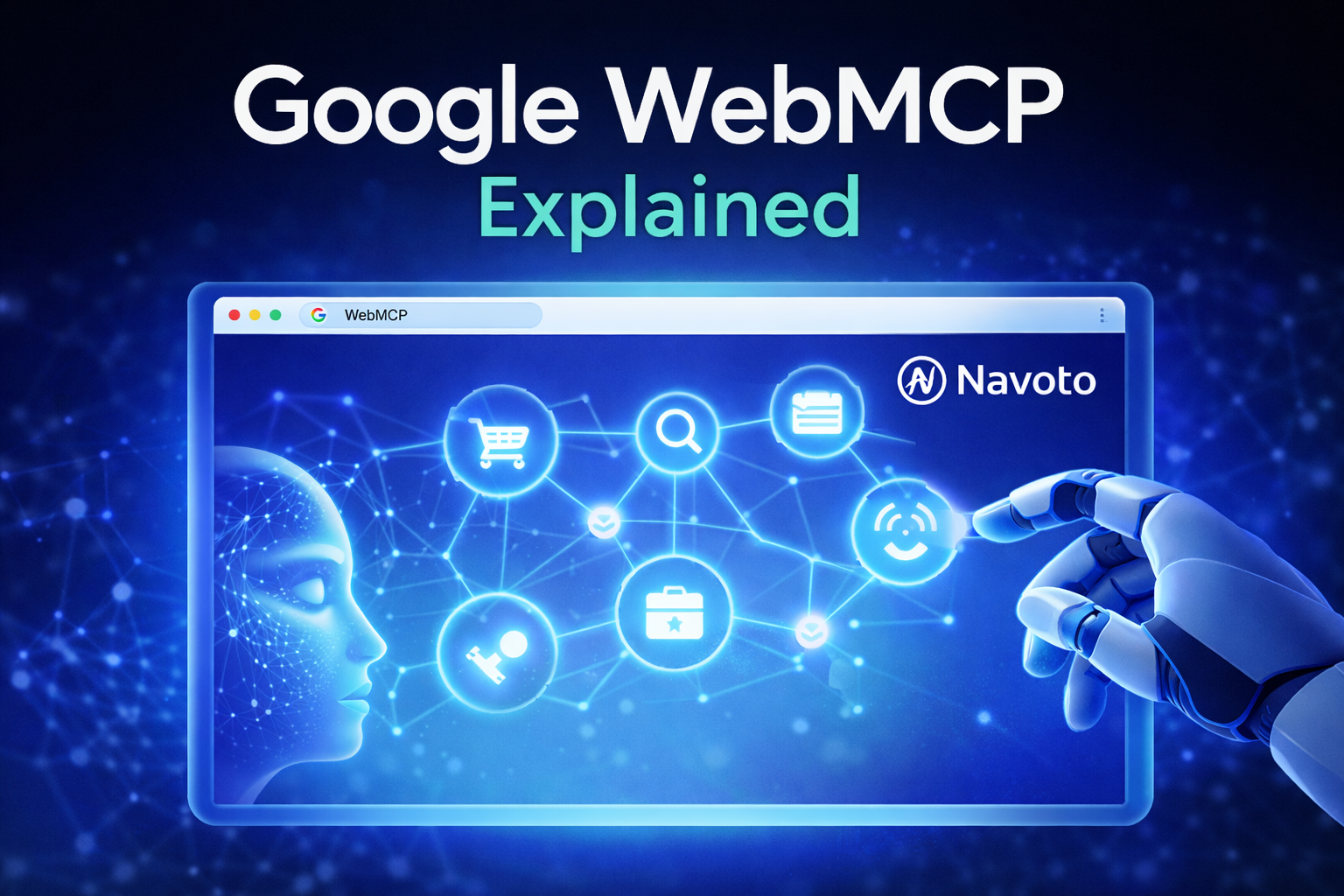
There’s a quiet revolution happening inside your browser right now — and most website owners have no idea it’s coming for them. On February 10, 2026, Google launched an early preview of something called WebMCP. It is not a plugin and not an update. It is a new web standard that changes how AI agents like ChatGPT, Claude, and Google’s own Gemini actually use your website.
If you run a business website and you care about being found, being used, and staying relevant in an AI-driven world, this is the most important thing you can read today.
What is WebMCP? (The Simple Version)
Right now, when an AI agent visits your website, it behaves a bit like a blindfolded person trying to read a menu. It takes a screenshot, tries to find the “Order Now” button, guesses, clicks something, and hopes for the best. It is slow, it breaks easily, and it misses things.
WebMCP fixes this.
WebMCP — short for Web Model Context Protocol — is a new browser standard being developed by Google and Microsoft under the W3C (the body that sets web standards). It gives your website a voice. Instead of an AI agent squinting at your page, your website can now say directly to that agent:
“Here’s what I can do. Here’s how to do it. Here are the options.”
Think of it like this. Before WebMCP, your website was a shop with no signage. Customers (AI agents) had to wander around trying to figure out where everything was. With WebMCP, you put up a clear menu, a clear layout, and clear instructions — built specifically for machines to read and act on.
Why Did WebMCP Exist in the First Place?
The problem started when AI agents — tools that browse the web and take actions on your behalf — became popular.
These agents were handling tasks such as booking flights, filling out forms, searching for products, and creating support tickets. But to do all that, they had to pretend to be human essentially. They looked at screenshots and parsed messy HTML. They guessed where to click. This made them slow, expensive to run, and unreliable.
A developer named Alex Nahas first built a version of this idea within Amazon, where thousands of internal systems needed to communicate with AI tools. The auth was broken. The tools were crammed together. It was a mess. His solution was to run everything in the browser — using existing login sessions, permissions, and functions.
Google’s Chrome team and Microsoft’s Edge team saw this and said, “Let’s make it a standard.” They took Nahas’s idea to the W3C, polished it, and called it WebMCP.
How WebMCP Work?
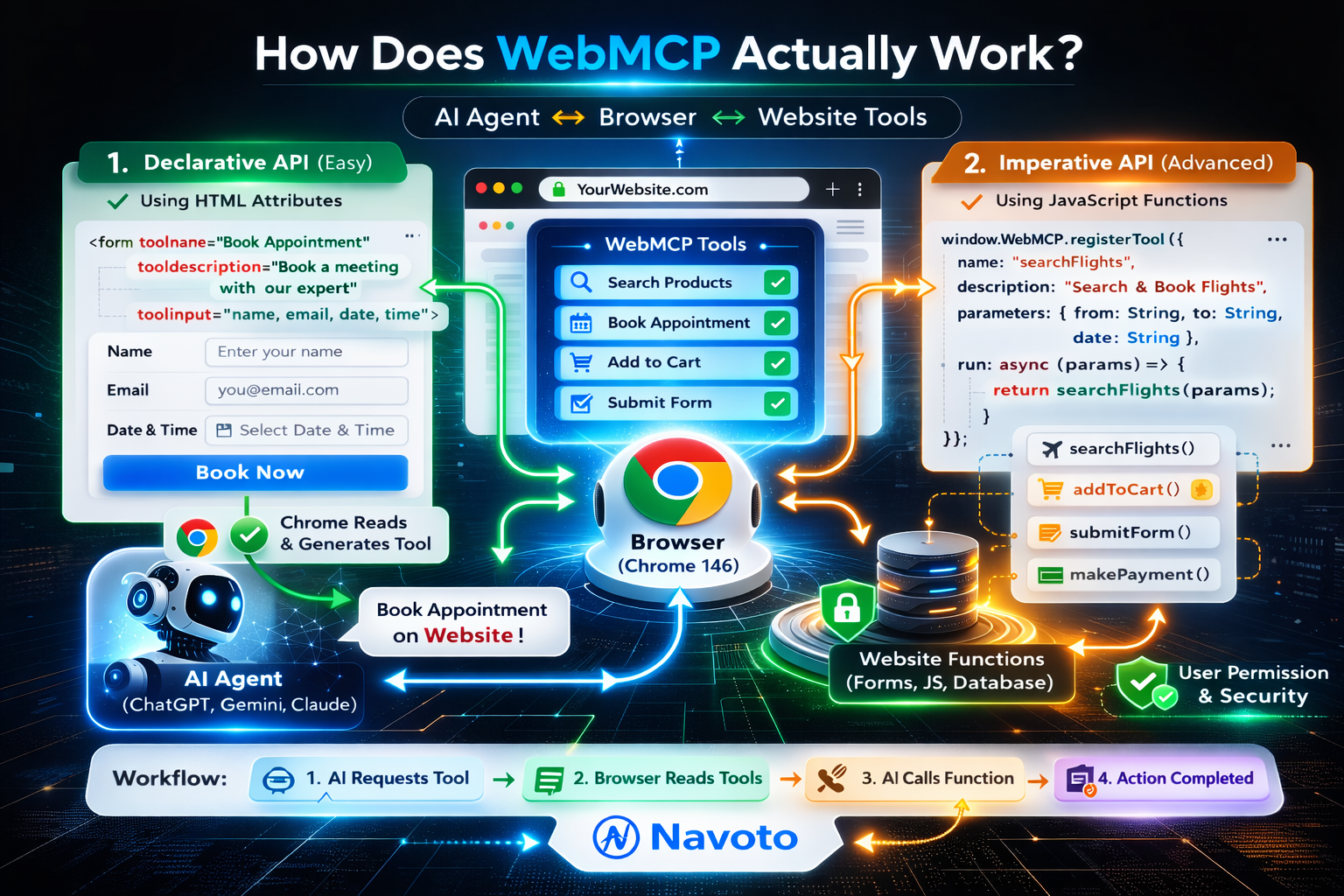
WebMCP introduces two ways for your website to expose itself to AI agents. Both are surprisingly simple for developers to implement.
The Declarative API is the easy one. You add a couple of new attributes to your existing HTML forms. Things like toolname and tooldescription inside a <form> tag. Chrome reads these and automatically creates a structured description that AI agents can understand. If you already have a working “Book Appointment” or “Search Products” form on your site, you’re 80% of the way there.
The Imperative API is for more complex interactions. It lets developers register specific JavaScript functions — such as searchFlights() or addToCart() — directly in the browser. AI agents can call these functions exactly like a human would use a button, except faster, cleaner, and without any guessing.
Both methods run entirely inside the browser. The AI agent does not need to talk to an external server. It just lands on your page, reads the available tools, and calls them.
WebMCP vs Regular APIs — What’s the Difference?
A regular API requires a developer to build a whole separate system. The AI talks to the API, the API talks to your server, and your server responds. It is powerful but takes months to build.
WebMCP works with what you already have. Your existing forms, your existing JavaScript functions — WebMCP makes them readable and callable by AI agents. No separate server. No extra infrastructure. You are wrapping what’s already there.
It is also worth noting that WebMCP is not the same as MCP (Model Context Protocol), which Anthropic built for backend tool integration. WebMCP is specifically built for the browser. Same general idea — structured tools that AI can call — but designed to run client-side, inside Chrome.
What Does WebMCP Mean for SEO?
This is where things get very interesting for business owners and marketers.
The way people search is changing. More and more users are not typing into a search box — they are asking their AI assistant to do things for them. “Book me a hotel in Jaipur for next Friday.” “Find me running shoes under ₹3,000.” “Submit a support ticket about my order.”
When users ask AI assistants to do these things, the AI does not display a list of links. It just acts. It goes to a website and does the task.
If your website has WebMCP tools registered, the AI can do the task cleanly and successfully. If your website does not, the AI either fails, guesses badly, or goes to a competitor’s site that made it easier.
Dan Petrovic, a respected SEO expert, called WebMCP “the biggest shift in technical SEO since structured data.” That is a strong statement — and it is warranted.
Think of it like this. When Google introduced structured data (like schema markup) years ago, the websites that added it early got rich snippets, higher click-through rates, and more visibility. WebMCP is the next version of that. The websites that adopt it early will be the ones that AI agents choose to use.
What Are the Security Rules Around WebMCP?
A fair concern: if AI agents can call functions on your website, does that open you up to abuse?
The answer is no, and WebMCP is actually more secure than browser-based AI automation today.
Right now, a browser agent can see everything a human user can see, including hidden elements, private data in your DOM, and information across multiple open tabs. There is a known security risk called the “lethal trifecta”, where a malicious website in one tab could instruct an AI agent to steal data from your bank’s tab.
WebMCP narrows this problem significantly. Instead of the agent having access to everything, it can only call the tools your website has explicitly registered. You decide what is exposed. The browser acts as a gatekeeper. For sensitive actions — like submitting a payment or booking an order — Chrome prompts the user with “Allow AI to do this?” before anything happens.
It is not perfect. Prompt injection risks still exist. But it is a major improvement over what exists today.
Three Types of WebMCP Tools (As Explained by the Creator)
Alex Nahas, who built the original version of this idea, has found that most WebMCP tools fall into three categories.
Read-only tools let the AI fetch information — product details, account status, available dates. These should always be visible to the agent so they can answer user questions quickly without navigating through menus.
Navigation tools tell the AI what your website does and where things live. Think of these as a map. “Here are the main sections. Here is what each one contains.” These help the agent orient itself before taking action.
Write tools let the AI take action — filling out a form, submitting a request, or completing a booking. These are where human-in-the-loop confirmation matters most. The AI fills out the form, shows the user what it is about to submit, and waits for approval.
With these three tool types, even a simple WordPress website can become, as Nahas calls it, “basically an AI company.”
When Will WebMCP Be Widely Available?
WebMCP is currently in early preview in Chrome 146 Canary, accessible via the experimental flag “WebMCP for testing.” You can access it at chrome://flags.
The specification is moving from community incubation (inside the W3C Web Machine Learning group) to a formal draft. Microsoft’s active involvement in writing the specification strongly suggests that Edge support is coming. Firefox and Safari are part of the working group but have not shipped anything yet.
Broader official announcements are expected by mid-to-late 2026 — possibly at Google I/O or Google Cloud Next. Chrome 146 stable is expected around March 2026.
How to Prepare Your Website for WebMCP Right Now
You do not need to wait for the full browser rollout before starting to prepare. Here is what you can do today.
Audit your existing forms. Every form on your website — search, contact, booking, checkout — is a candidate for a WebMCP tool. Make sure they are clean, clearly labelled, and functioning properly. Adding WebMCP attributes will be trivial if your forms are already well-structured.
Document your website’s key actions. Write down what your website lets users do. Search for products. Book an appointment. Submit a ticket. Get a quote. These are your future tools.
Talk to your developer. If you have a developer, point them to docs.mcp-b.ai for the reference implementation documentation. They can start experimenting with the polyfill (@mcp-b/global), which works in any browser today.
Think about what you want AI agents to do on your site. You are in control of what gets exposed. Decide your “tool contract” — the actions you are comfortable letting AI agents perform on behalf of your users.
FAQs
1. What is WebMCP in simple terms?
WebMCP is a new browser standard that lets your website tell AI agents exactly what it can do and how to do it. Instead of an AI guessing how your site works by looking at screenshots, your site gives the AI a clear, structured set of instructions.
2. Is WebMCP the same as MCP?
No. Anthropic created MCP (Model Context Protocol) and works on the server side. WebMCP is a browser-based standard being built by Google and Microsoft. They share similar ideas but are different technologies.
3. Does WebMCP affect my current website’s SEO?
Not directly today, but it will. As AI agents become a primary way users interact with the web, websites that are “agent-ready” with WebMCP will have a major advantage in being chosen and used over competitors.
4. Do I need to rebuild my website to support WebMCP?
No. WebMCP is designed as a progressive enhancement. You add it to what you already have. Your forms and functions stay the same — WebMCP makes them readable by AI agents.
5. Is WebMCP available in all browsers?
Currently, WebMCP is available as an experimental preview in Chrome 146 Canary. Microsoft Edge is expected to follow. Firefox and Safari are participating in the working group but have not yet shipped support for it.
6. Will AI agents be able to take actions on my website without my permission?
No. WebMCP is built around user permissions and browser confirmation. For sensitive actions, Chrome will ask the user to confirm before the AI proceeds. You also control exactly which tools you expose.
7. How is WebMCP different from a scraper or a bot?
Scrapers and bots access your website without permission, often breaking your UI or overloading your server. WebMCP is the opposite — it is a structured, permission-based interface that you build deliberately, so AI agents can interact with your site in a way you control and approve.
8. What kinds of websites benefit most from WebMCP?
E-commerce stores, travel booking sites, SaaS dashboards, customer support portals, healthcare appointment systems — anywhere users need to take structured actions. That said, even a simple local business website with a contact form or appointment booking tool will benefit.
9. When should I start implementing WebMCP?
Early adopters always win. WebMCP today is where mobile-friendly websites were in 2010. The businesses that prepared early dominated mobile search. The same pattern will play out with the agentic web.
10. Where can I find official WebMCP documentation?
The official specification is at github.com/webmachinelearning/webmcp. Developer documentation for the reference implementation is at docs.mcp-b.ai. You can also apply for Google’s early preview program at developer.chrome.com/blog/webmcp-epp.
Conclusion
The web was built for humans. WebMCP is the upgrade that makes it work for machines, too — specifically, for the AI agents increasingly acting on behalf of humans. Your website being “agent-ready” is not a technical nicety. In 2026 and beyond, it will be the difference between being chosen and being invisible. The good news: you do not need to start from scratch. You do not need a massive budget. You need clean forms, a clear sense of what your website does, and a developer who knows what they are doing.
That is exactly what we help businesses with at Navoto. If you want your website ready for the agentic web before your competitors figure out it exists, let’s talk.